
Doltgres database development is now supported on DoltHub! If you’ve been following our journey, you know that Dolt is a database that supports Git-style version control — branches, merges, and diffs in MySQL-compatible syntax. Until now, it was the only database available on DoltHub. We’re excited to announce that Doltgres, our Postgres-flavored version of Dolt, now brings those same versioning features to DoltHub.
What is Doltgres?#
Doltgres is an open-source, version-controlled database built from the ground up to be a drop-in replacement for PostgreSQL. It combines:
- Full PostgreSQL Protocol & Syntax Compatibility: Query it using standard SQL tools, ORMs, and drivers.
- Git-like Version Control: Branch your schema and data, create pull requests, diff changes, and roll back easily.
Why use DoltHub with Doltgres?#
Doltgres gives you version control on your own server. DoltHub is to Doltgres what GitHub is to Git: a shared remote that adds a layer of collaboration on top. Pushing your Doltgres database to DoltHub gets you:
- Collaboration: Add collaborators or share with your organization, and let others fork your database and propose changes back. Everyone works from the same remote instead of passing around dumps.
- Data review: Changes come in as pull requests with a row-level diff of exactly what was inserted, updated, or
deleted. Reviewers can comment and approve before anything is merged into
main. - Discovery: Public databases can be found, browsed, and queried right in the browser, no local server required. It’s an easy way to publish a dataset and let people explore it before they clone it.
- Recovery: DoltHub keeps a full copy of your database and its entire commit history. If your local server is lost or a bad change slips through, clone it back or roll back to any previous commit.
Get Started on DoltHub#
Creating a new Doltgres database directly on DoltHub isn’t supported yet, but it’s coming soon. For now, follow Brian Hendriks’ blog to push your local Doltgres database to a remote on DoltHub.
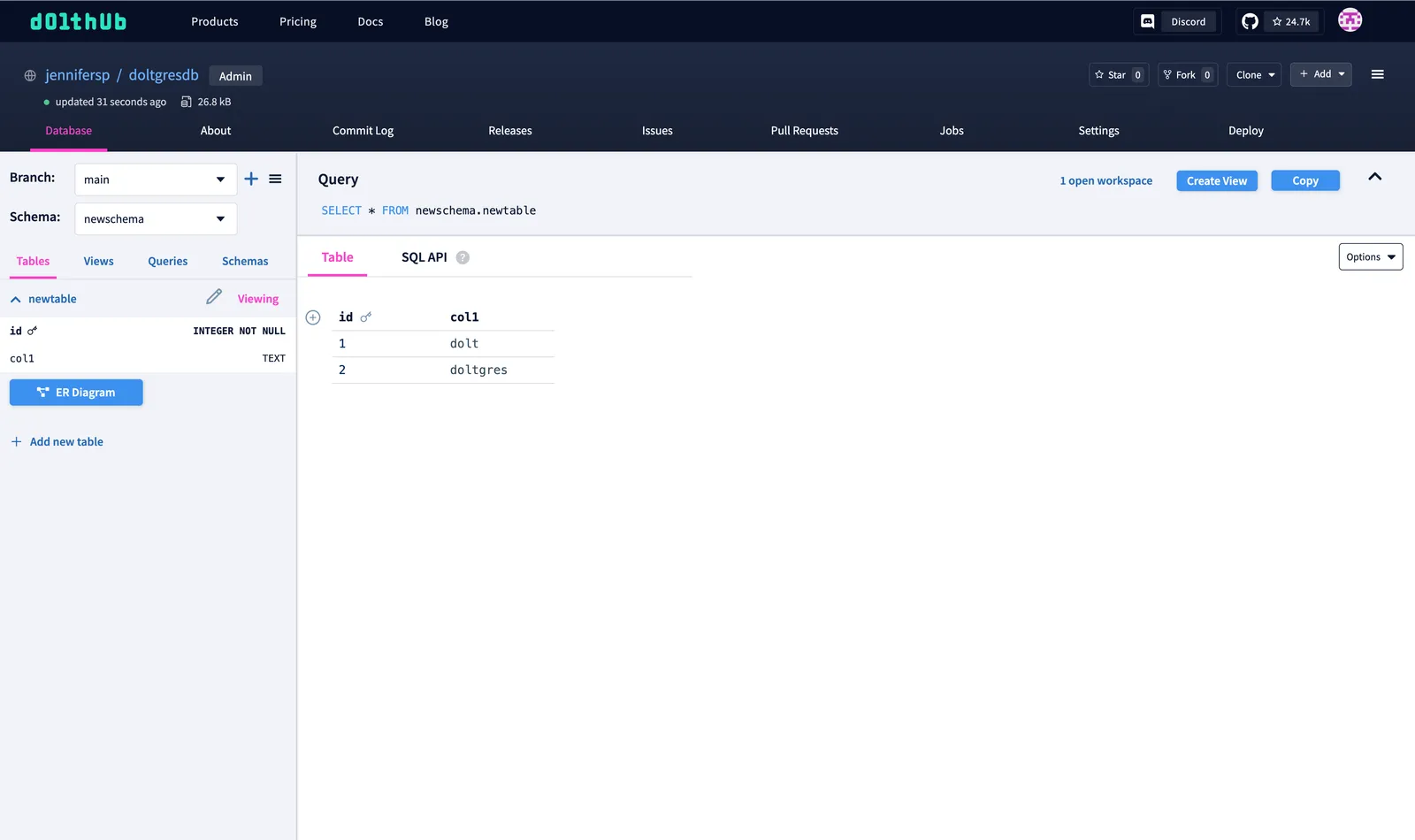
Once your database is on DoltHub, you can browse and query it right in the browser. Doltgres supports PostgreSQL
schemas. The default schema is public; use the “Schema” dropdown to switch to another one. Here we’re viewing
the nstest table in newschema:
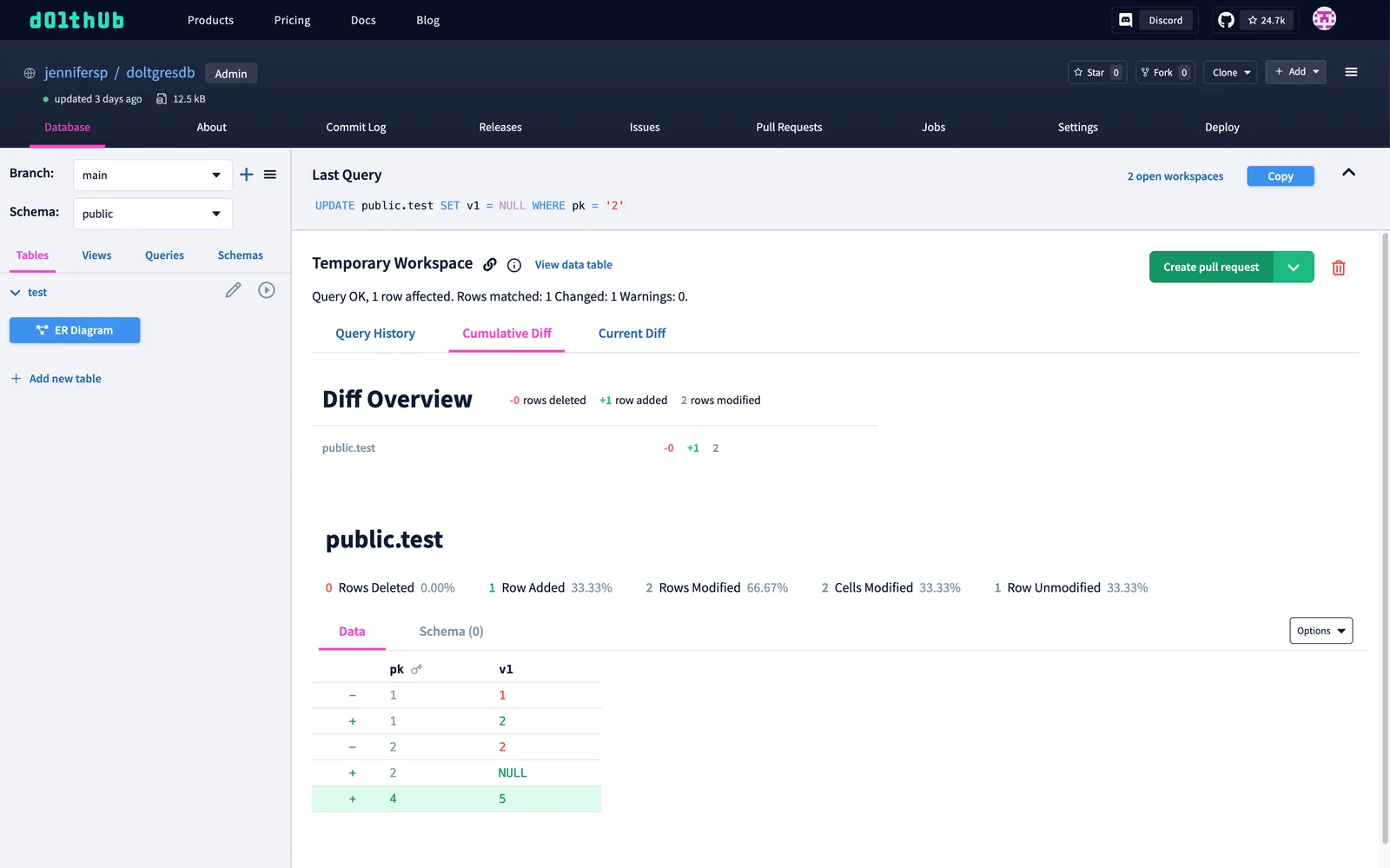
Let’s try making some changes in the public schema.
Write queries you run on main go into a temporary workspace, where each query becomes a commit. The “Cumulative Diff”
tab shows every change made in the workspace so far. Here we’ve updated one row and inserted another in public.t1.
When you’re ready, click “Create pull request”:
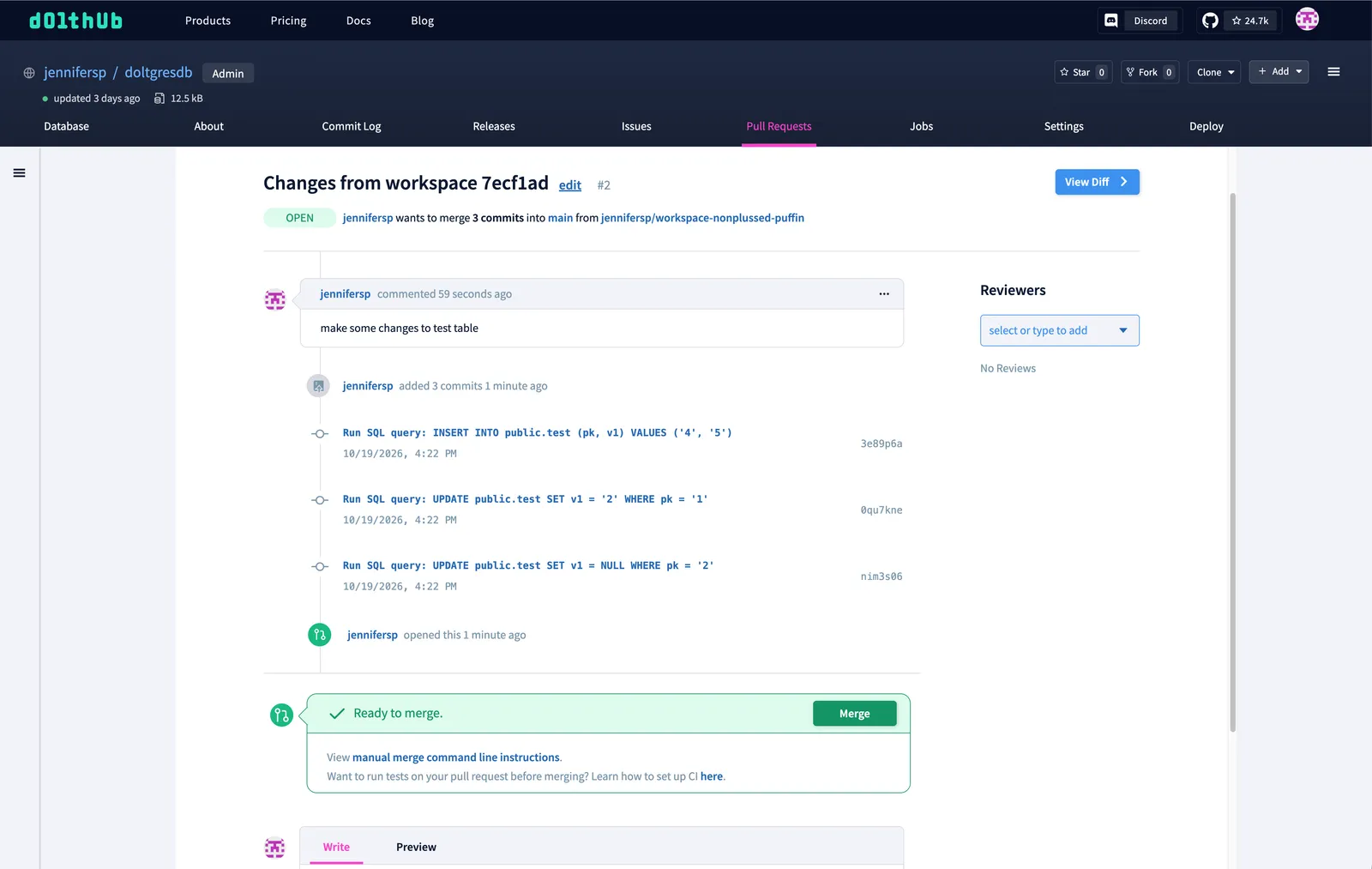
The pull request lists each query as its own commit, ready to merge into main:
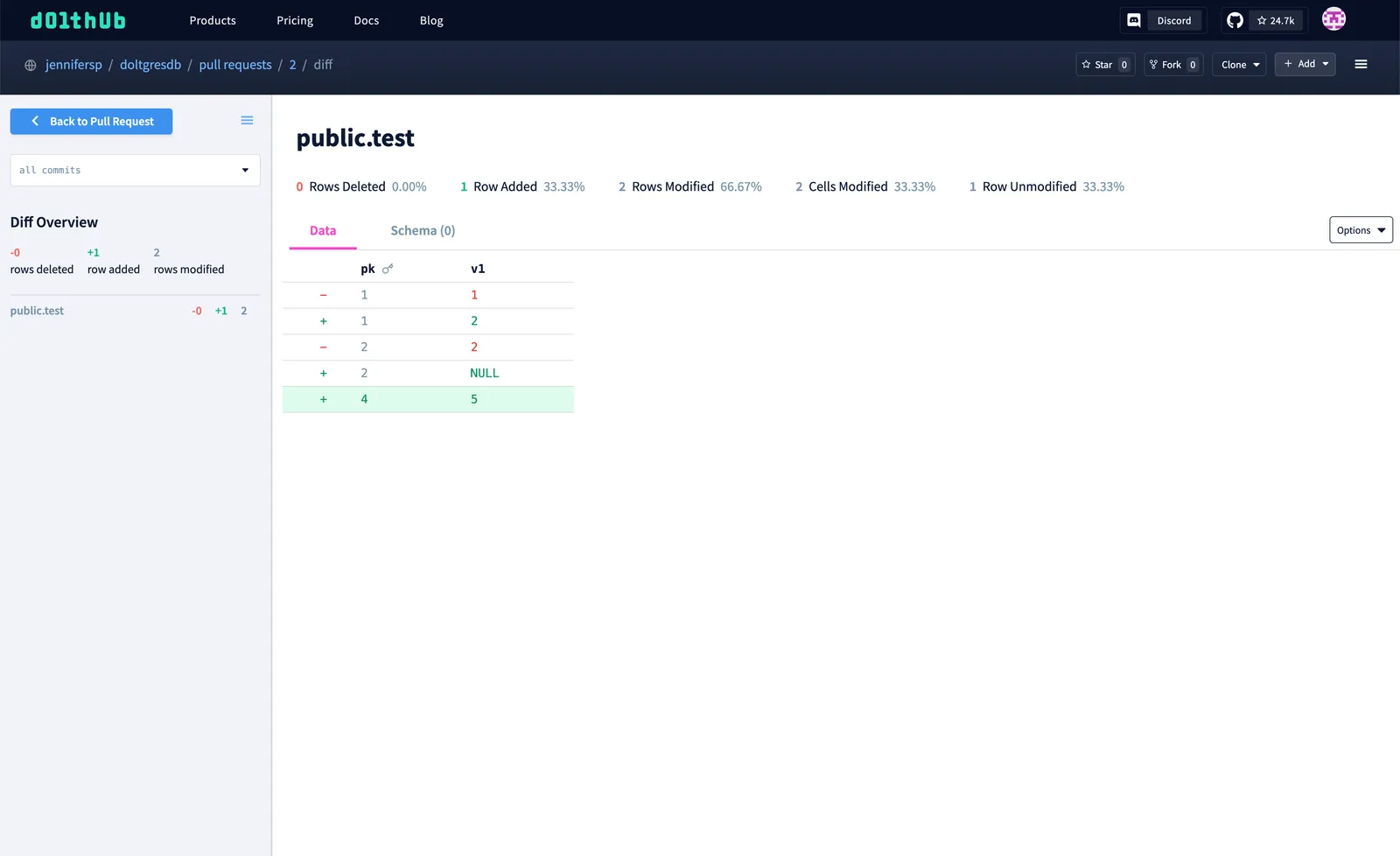
Click “View Diff” to review exactly which rows changed:
When you’re happy with the changes, hit “Merge”. The merge runs as a job on DoltHub:
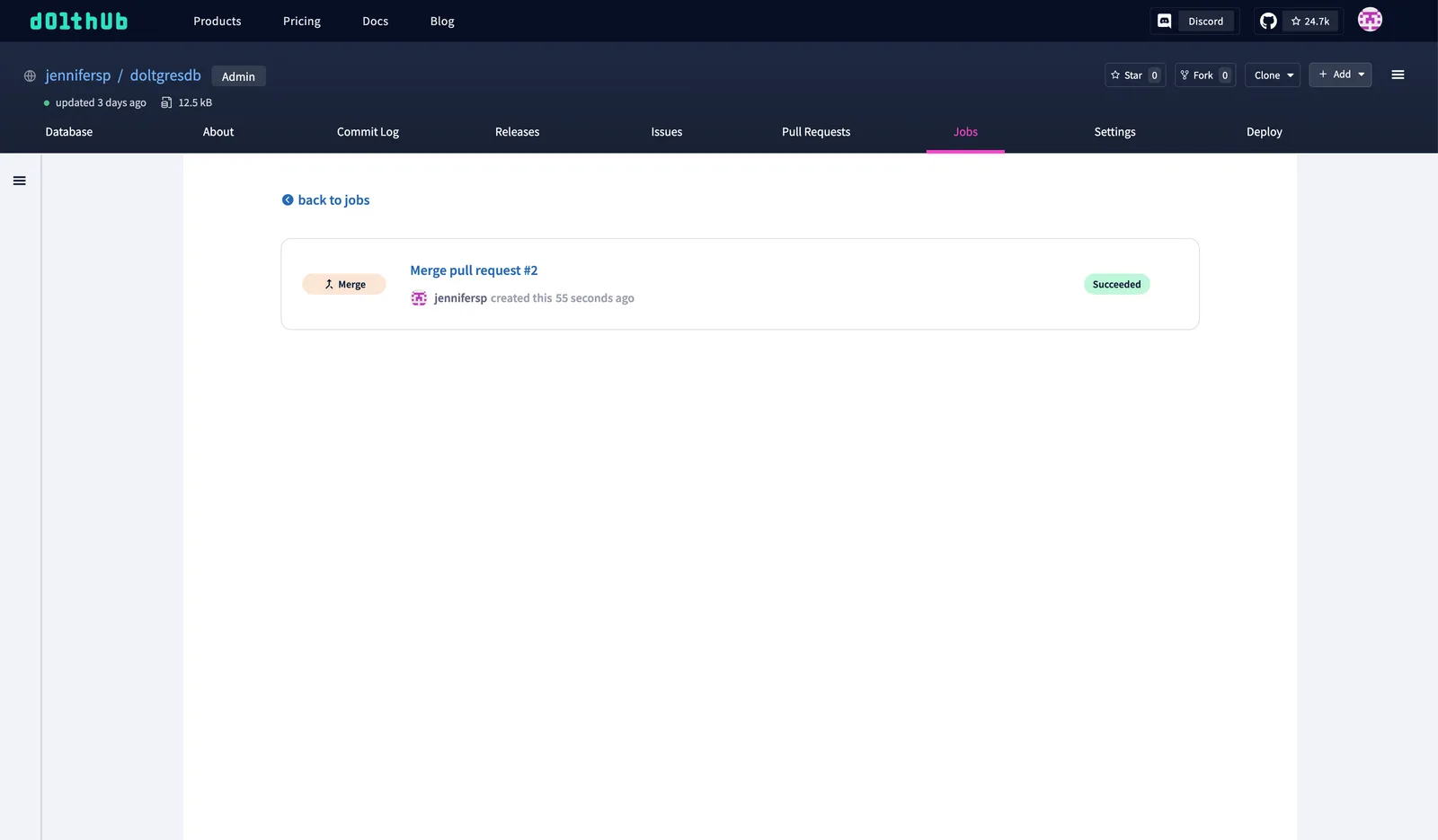
From here you can clone your Doltgres database to your local machine to work on it as well. Almost all actions are the same as for Dolt databases, so most Dolt guides also apply to Doltgres databases. Check out our documentation page to explore more features. The main difference is that every command is run through the Doltgres server, including cloning from or pushing to a remote database.
What’s Not Supported Yet#
A few DoltHub features aren’t available for Doltgres databases yet:
- CSV downloads: You can’t download query results or tables as CSV from the web UI.
- Async query jobs: Long-running read queries can’t be run as a DoltHub job. If a query hits the web query timeout, clone the database locally and run it there with any PostgreSQL client.
- Saved queries: The “Save Query” button isn’t available on Doltgres databases.
We’re working on closing these gaps. Let us know which ones matter most to you.
Try Doltgres on DoltHub!#
Ready to give it a spin? Push your Doltgres database to DoltHub. New to Doltgres? Follow the installation guide to get a server running locally.
If you come across any issues, we’re here to help. File a bug on GitHub or find us on Discord.