
When we launched DoltHub in 2019, we envisioned it as a place to share and collaborate on databases. Dolt, with its Git-like version control, was the perfect fit for this vision. In the last couple years we’ve started developing new flavors of version-controlled databases. As of yesterday, Doltgres released version 1.0. DoltLite is a lightweight SQLite-compatible version-controlled database which we launched earlier this year. Today, we are excited to announce that you can now push, pull, and clone DoltLite and Doltgres databases on DoltHub.
Creating a Database on DoltHub#
The DoltHub new database page allows you to create a new database that can be pushed to with Dolt, Doltgres, or DoltLite. The repository type will be set when data gets pushed to the repository. First start by creating the repository.
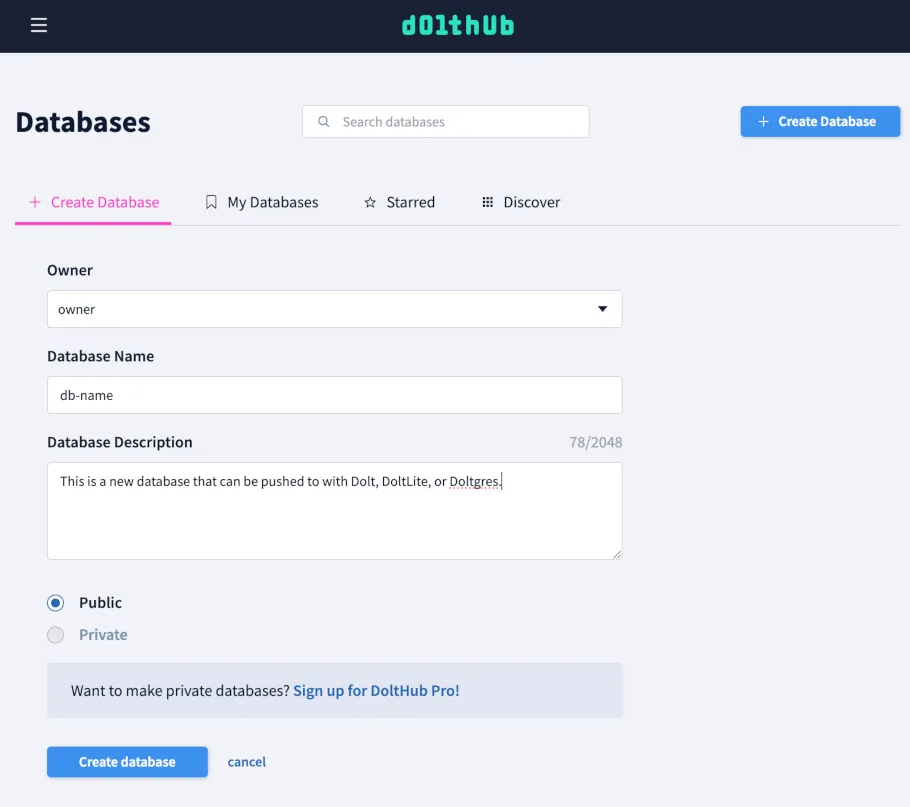
Once the repository is created you will be presented with instructions for pushing the repository using your chosen database type. The steps are the same, but the syntax varies slightly between Dolt, Doltgres, and DoltLite.
Doltgres Credentials#
The functionality to associate your Doltgres server with your DoltHub
account doesn’t exist in Doltgres yet, but it uses the same authentication mechanism
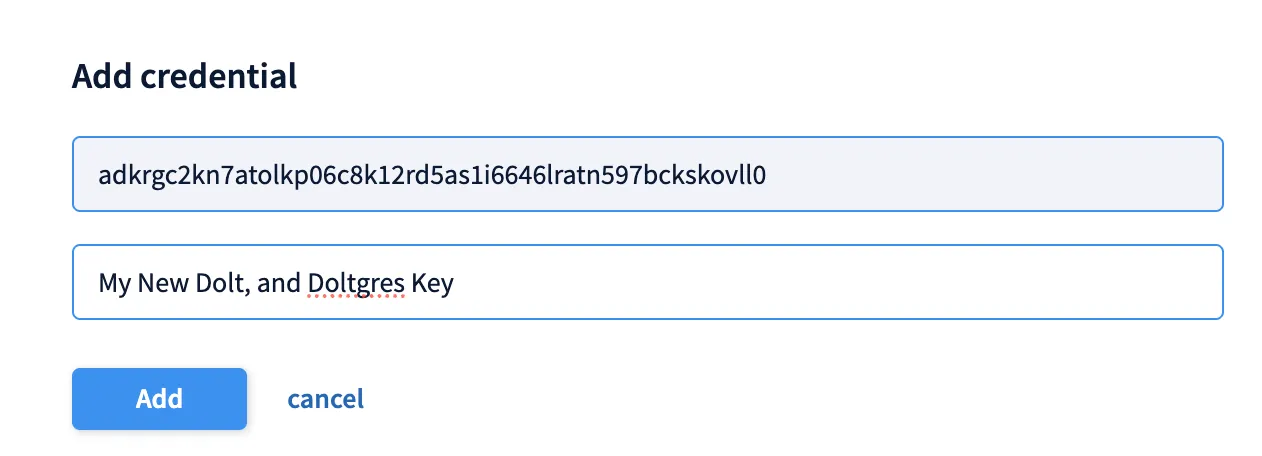
as Dolt. You can authenticate Doltgres by running dolt login
locally, and when the Credentials Page opens in your browser, your key will
be filled in, and then you only need to add a key description and click “Add”.
Pushing to Doltgres#
Doltgres exposes version control through SQL functions (instead of the stored procedures used by Dolt). To add a remote from a SQL session connected to your Doltgres server you can run the following commands:
SELECT dolt_remote('add', 'origin', 'owner/database-name');
SELECT dolt_push('origin', 'main');
Like Dolt, Doltgres uses short names in the form <owner>/<database-name> to reference DoltHub remotes.
Cloning a Doltgres Database#
Cloning a Doltgres database off DoltHub is a single function call. Upon success it creates a new database, and
initializes origin to point to your DoltHub database.
SELECT dolt_clone('owner/database-name');DoltLite Credentials#
DoltLite uses exposes credentials through SQL functions. To create a new key run
SELECT dolt_creds_new();Then take the key that is output and add it to your DoltHub Credentials Page.
Unlike the dolt login command used by Dolt and Doltgres,
the page will not open for you with the key filled in. You will need to copy the key from the output of dolt_creds_new()
and paste it into the “Key” field on the page. You will also need to add a description for the key before clicking “Add”.
Pushing with DoltLite#
DoltLite is embedded rather than a server, so these run wherever your database lives: the doltlite
shell, or a library call from inside your application. Unlike Dolt and Doltgres, DoltLite uses full
URLs to reference DoltHub remotes. To push to DoltHub from DoltLite you can execute the following commands:
SELECT dolt_remote('add', 'origin', 'https://doltliteremoteapi.dolthub.com/owner/database-name');
SELECT dolt_push('origin', 'main');
Cloning with DoltLite#
Cloning uses that same URL.
SELECT dolt_clone('https://doltliteremoteapi.dolthub.com/owner/database-name');Viewing these Databases on DoltHub#
Doltgres and DoltLite databases are clearly marked on DoltHub.
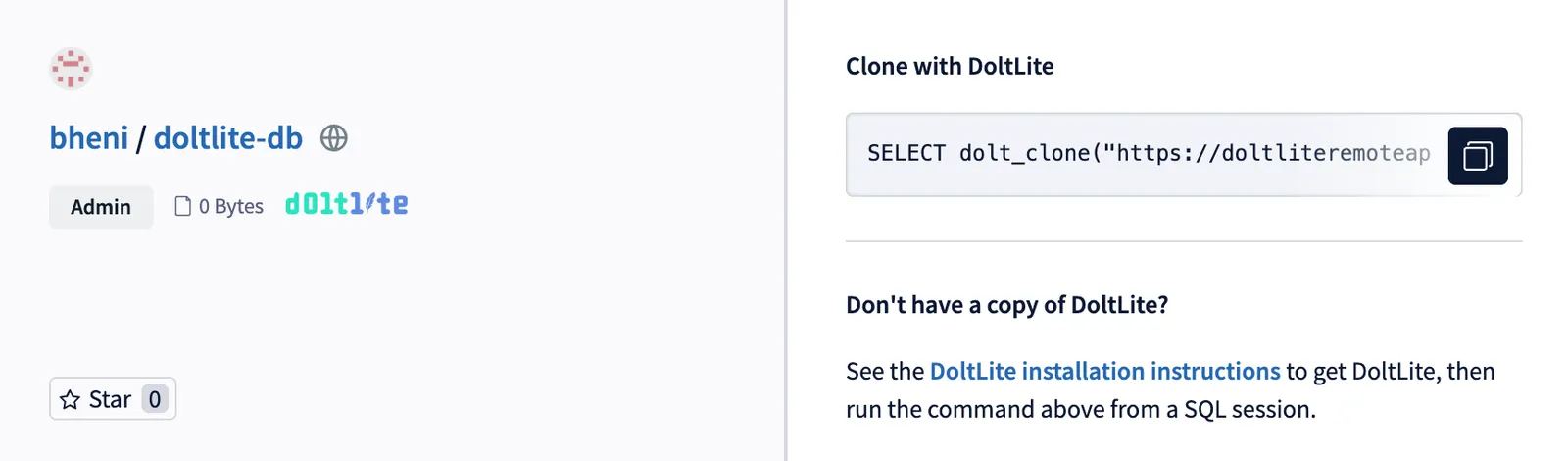
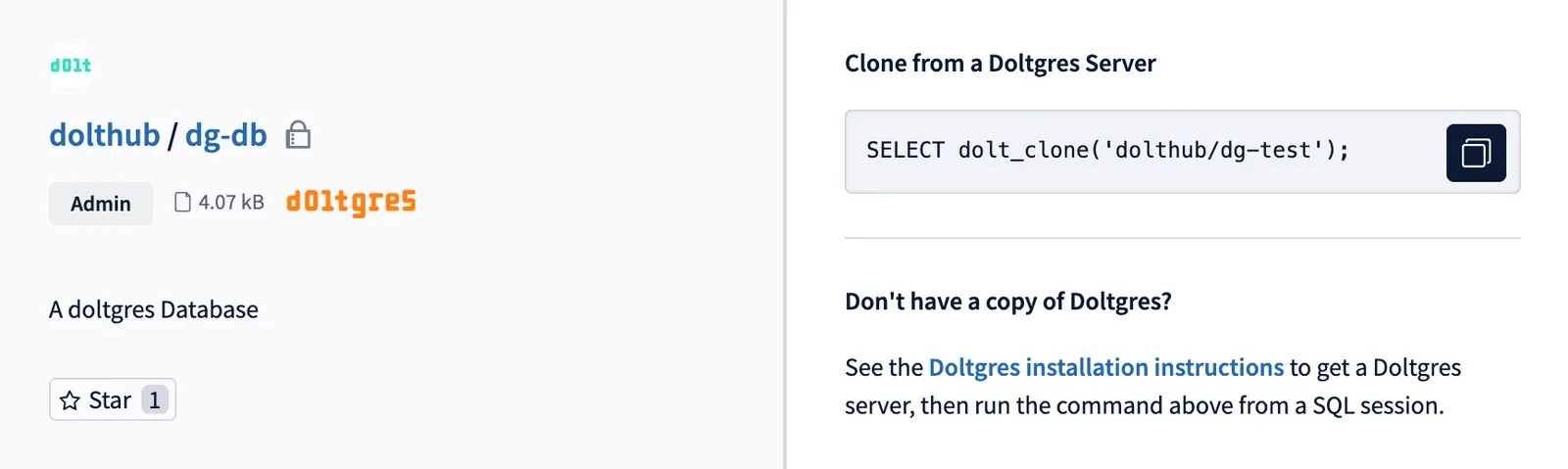
Clicking into them will give you clear instructions for pushing, pulling, and cloning the database.
Conclusion#
DoltHub now supports DoltLite and Doltgres databases. You can now push, pull, and clone DoltLite and Doltgres databases on DoltHub. We are excited to see what you build with these new databases. If you have any questions or feedback, please reach out to us on Discord.