

Today, I’m pleased to announce the release of DumboDB 0.1, a MongoDB clone built on top of Dolt’s storage system.
MongoDB and Git had a baby, and it’s named DumboDB.
TL;DR;#
Grab the code and give it a try! We are excited to see what the community can do with it. You can find the code on GitHub: https://github.com/dolthub/dumbodb. See the README for installation instructions. If you have feedback, questions, or want to contribute, join us on Discord!
How Did We Get Here?#
Like everyone else in the software industry, we have been kicking around the AI tools that are getting so much hype these days. No joke, my boss is vibe coding now. What a stereotype, right? A couple of weeks ago I talked about testing Gas Town, a coding agent orchestrator, only to get swept up in the excitement of building something new insanely fast. Turns out that a dozen agents can make a really compelling proof of concept in a couple of weeks. Ultimately, we decided to turn that proof of concept into a real product, and here we are.
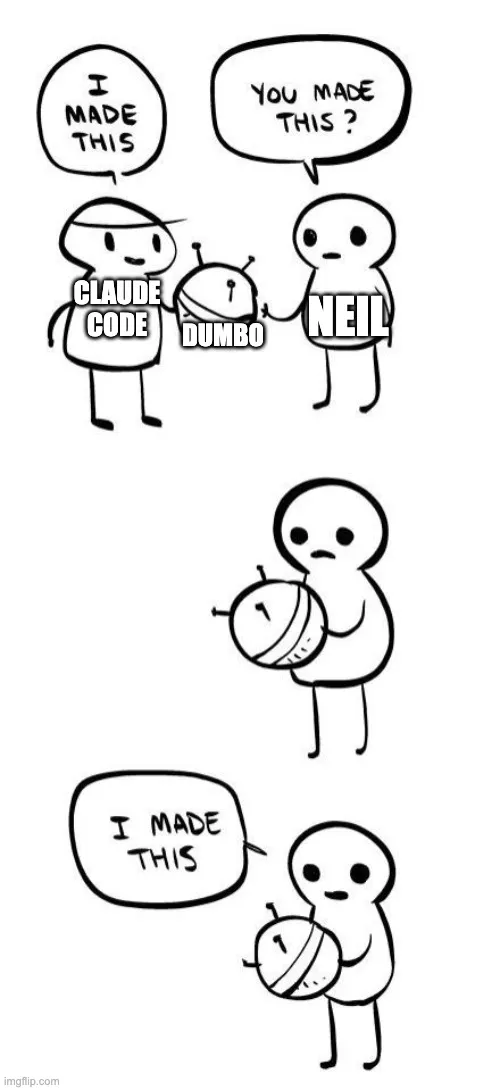
Since then, the pace of change has slowed to allow for human-speed verification and testing. The firehose of code generation provided by Gas Town hasn’t been necessary, and it’s mostly been slower 1-on-1 coding with Claude Code. I’ve even read some of the code and directed Claude to clean up some nonsense which we are all used to seeing with coding agents at this point. Nevertheless, the 6 weeks of development to get to a viable 0.1 release has been far, far faster than I could have ever done on my own. Say what you want about the AI bubble, coding agents are going to help us write a mountain of code.
DumboDB’s DNA#
DumboDB started with the FerretDB code base, which is an open-source MongoDB clone. FerretDB operates as a proxy that translates MongoDB queries into SQL queries that are executed against a PostgreSQL database. It’s written in Go.
Dolt is written in Go as well, so we ripped out the proxy approach of FerretDB and made a standalone server that uses Dolt’s storage engine.
Dolt’s storage engine is a Prolly Tree, which is a data structure that allows for structural sharing of data. Using Merkle Trees and DAGs, Dolt can represent a very granular set of snapshots of your data. This is the same approach used by Git to model your source code history.
Our Prolly Tree implementation has been getting our love and attention for more than a decade now. It is what enables our primary product, Dolt, to be a version-controlled database. And when we say version-controlled, we mean it. You can branch, merge, diff, send pull requests, rebase, and so on - just like you would with Git. Dolt is a drop-in replacement for MySQL and is as fast as MySQL for many workloads. It gives you all the safety of Git for your data. Honestly, most software engineers hear about what we’ve built in Dolt, and they are astonished because it seems impossible. It’s real! Check it out if you haven’t already!
DumboDB is using the same storage engine as Dolt, but with a different access layer. Instead of using SQL, DumboDB uses the MongoDB query language. This means that you can use all the same tools and libraries that you would use with MongoDB, but with the added benefits of Dolt’s storage engine. To be crystal clear, there is no SQL layer in DumboDB. DumboDB uses the storage objects of Dolt. Therefore, it uses the same indexes, journal code, and commit model — but no SQL. It’s a NoSQL document database — not a facade on top of a SQL database.
What Can You Do With DumboDB?#
DumboDB is alpha-quality software, so what you should not do is run it in production.
That said, it should be able to do most basic MongoDB operations. If you are familiar with MongoDB, you should be able to pick up DumboDB pretty quickly. You can use the same drivers and libraries that you would use with MongoDB, so probably the best thing to do is just kick the tires and tell us when something doesn’t work. We are sure there are bugs, and we want to know about them!
There are some glaring gaps. DumboDB has no concept of user accounts or permissions yet. There are no isolated sessions or transactions with rollbacks (though you can reset --hard!). Text search and geo features aren’t implemented. We don’t have a replication or sharding story yet, and we may just stick to the Git model of clone/push/pull. We’ll see. It all depends on what our users ask for. The joy of open source is that we aren’t hiding behind a proprietary roadmap. We’ll build what makes sense, and take PRs for all the rest.
Being a drop-in replacement for MongoDB is the eventual goal, but we aren’t there yet. If you are bold, you can try running your existing MongoDB workloads against DumboDB and see what happens. Start your server with the --auto-commit flag and witness how your application changes your data over time.
Version Control Features#
All the basic operations you would expect from a Git-inspired product are available. This includes: commit, branch, merge, cherry-pick, rebase, log, status, diff, reset, revert, and tag.
Read the documentation for each command here.
There is no “staging” concept in DumboDB, which is a departure from how Git works. Instead, you just make your changes to the database, and then when you are ready to commit, you commit and whatever content is in your workspace will be committed. No need to “add” changes, like you would in Git.
There are two additional commands for working with merge conflicts: conflicts and resolveConflict. Unlike Git, but similar to Dolt, merge conflicts are structured. When merge conflicts arise, the three-way merge details are available to your application so that it can resolve the conflicts reliably. See examples below.
Note the lack of checkout. There is no checkout in DumboDB. Instead, you get a database instance using the getSiblingDB operation. Check out the examples…
Examples#
You’ll need to grab a prebuilt binary or build from source to run these examples. See the README for instructions.
Run the server in its own terminal window:
dumbodb --data-dir /tmp/dumbodb-dataThen in another terminal window, connect to the server using the MongoDB shell:
$ mongosh mongodb://localhost:27017/
...
------
   The server generated these startup warnings when booting
   2026-05-06T21:36:58.547Z: Powered by DumboDB v0.1.0
   2026-05-06T21:36:58.547Z: Star Us! https://github.com/dolthub/dumbodb
------
test>
mongosh is a JavaScript shell, so you execute JavaScript code to interact with the database. The test> prompt indicates that you are connected to the test database. The way you change the database is you set the db variable to a different database. For example, if you want to switch to the mydb database, you would run:
test> db = db.getSiblingDB("mydb")
mydb
mydb>
See how the prompt changed to mydb>? That indicates that we are now using the mydb database. Now let’s use it!
Create a new collection, and insert some documents:#
The MongoDB approach is to create collections implicitly when you first insert a document into them. So there is no createCollection command. Instead, you just start inserting documents into a collection, and it will be created for you. Let’s insert two documents into a new collection called customers:
mydb> db.customers.insertOne({ name: "Alice", phone: "555-1234" })
{
  acknowledged: true,
  insertedId: ObjectId('69fbcb932a4aeea4bc4de9b5')
}
mydb> db.customers.insertOne({ name: "Bob", phone: "555-5678" })
{
  acknowledged: true,
  insertedId: ObjectId('69fbbb46a26d8df3b3ab5cf6')
}
mydb>
That’s all vanilla Mongo behavior. By inserting these two documents, we have made changes to the database, but those changes are not committed yet. It’s like editing a source file in Git: you need to commit it. It works exactly the same with DumboDB. Make as many changes as you need to, then commit when ready.
DumboDB’s version control operations are executed with the db.runCommand method. We can see the status of our database with the dumboStatus command:
mydb> db.runCommand({ dumboStatus: 1 })
{
  branch: 'main',                   // `db` is on the main branch
  dirty: true,                      // there are uncommitted changes
  readonly: false,                  // we can write to this database, as demonstrated by our inserts
  collections: [
    {
      name: 'customers',
      status: 'added',              // the customers collection is new, so it's status is "added"
      added: 2,                     // we added 2 documents to the customers collection
      modified: 0,
      deleted: 0
    }
  ],
  ok: 1                             // the command was successful. Standard MongoDB.
}
Now we can commit our changes to the database. The commit will create a new snapshot of the database, and the dirty flag will return to false.
mydb> db.runCommand({ dumboCommit: 1,
                      message: "Add customers collection with Alice and Bob",
                      author: "neil <neil@dolthub.com>" })
{
  commitId: '6nc94olva9m81ofdjnnhp3018100qs5f',
  branch: 'main',
  message: 'Add customers collection with Alice and Bob',
  author: 'neil <neil@dolthub.com>',
  timestamp: ISODate('2026-05-06T22:12:28.240Z'),
  committer: 'neil <neil@dolthub.com>',
  committerTimestamp: ISODate('2026-05-06T22:12:28.240Z'),
  ok: 1
}
mydb> db.runCommand({ dumboStatus: 1 })
{
  branch: 'main',
  dirty: false,
  readonly: false,
  commitId: '6nc94olva9m81ofdjnnhp3018100qs5f', // commitId is shown whenever dirty is false.
  collections: [],
  ok: 1
}
Branch, Merge, and Resolve Conflicts#
Let’s create a new branch, called feature, and change the phone number for Alice:
mydb> db.runCommand({ dumboBranch: 1, branch: "feature" })
{ branch: 'feature', ok: 1 }
// Specify the branch or revision number with <db>@<branchOrRevision>
mydb> var feature = db.getSiblingDB("mydb@feature")
// `feature` variable is a database instance that is now "pointing" to the `feature` branch.
// We can run commands against it, just like we do with `db`.
mydb> feature.runCommand({ dumboStatus: 1})
{
  branch: 'feature',
  dirty: false,
  readonly: false,
  commitId: '6nc94olva9m81ofdjnnhp3018100qs5f',
  collections: [],
  ok: 1
}
// Update Alice's phone number in the feature branch
mydb> feature.customers.updateOne({ name: "Alice" }, { $set: { phone: "555-4321" } })
{
  acknowledged: true,
  insertedId: null,
  matchedCount: 1,
  modifiedCount: 1,   // Indicates that one document was modified.
  upsertedCount: 0
}
mydb> feature.runCommand({ dumboStatus: 1})
{
  branch: 'feature',
  dirty: true,
  readonly: false,
  collections: [
    {
      name: 'customers',
      status: 'modified',  // The customers collection is modified, because we changed Alice's phone number.
      added: 0,
      modified: 1,         // Alice's document was modified.
      deleted: 0
    }
  ],
  ok: 1
}
dumboStatus gives a high-level summary of what has changed in our working copy of the database, but if we want to see the actual changes, we can use the dumboDiff command:
mydb> feature.runCommand({ dumboDiff: 1})
{
  collections: [
    {
      name: 'customers',
      status: 'modified',
      added: [],
      removed: [],
      modified: [
        {
          _id: ObjectId('69fbcb932a4aeea4bc4de9b5'),
          diff: [
            // the "phone" field was changed from "555-1234" to "555-4321"
            { type: 'modified', path: '$.phone', from: '555-1234', to: '555-4321' }
          ]
        }
      ]
    }
  ],
  ok: 1
}
// dumboCommit will always commit the content shown in the output of dumboDiff without arguments.
// Run dumboCommit now, it will commit the change to Alice's phone number.
mydb> feature.runCommand({ dumboCommit: 1, message: "Update Alice's phone number", author: "neil <neil@dolthub.com>" })
{
  commitId: 'p7p99vndl9d11hjloivlu1lcuvt3n9qa',
  branch: 'feature',
  message: "Update Alice's phone number",
  author: 'neil <neil@dolthub.com>',
  timestamp: ISODate('2026-05-06T23:27:52.848Z'),
  committer: 'neil <neil@dolthub.com>',
  committerTimestamp: ISODate('2026-05-06T23:27:52.848Z'),
  ok: 1
}
Now let’s change the same field, but on the main branch. Note that the db instance was created on the default branch, which is main, so when we run commands against db, we are running them against the main branch. We’ll perform a ‘find’ to demonstrate:
mydb> db.customers.find({name: 'Alice'})
[
  {
    _id: ObjectId('69fbcb932a4aeea4bc4de9b5'),
    name: 'Alice',
    phone: '555-1234' // Still unchanged on the main branch.
  }
]
mydb> db.customers.updateOne({ name: "Alice" }, { $set: { phone: "555-9999" } })
{
  acknowledged: true,
  insertedId: null,
  matchedCount: 1,
  modifiedCount: 1,
  upsertedCount: 0
}
mydb> db.runCommand({dumboCommit:1, message: "update Alice on main", author: "neil <neil@dolthub.com>"})
{
  commitId: '22gvmftrbf995mn924hl0ounoo4quhqh',
  branch: 'main',
  message: 'update Alice on main',
  author: 'neil <neil@dolthub.com>',
  timestamp: ISODate('2026-05-06T23:28:51.139Z'),
  committer: 'neil <neil@dolthub.com>',
  committerTimestamp: ISODate('2026-05-06T23:28:51.139Z'),
  ok: 1
}
To recap: We’ve updated Alice’s phone number to “555-4321” on the feature branch, and “555-9999” on the main branch. We can see the differences between the two branches with dumboDiff:
mydb> db.runCommand({ dumboDiff: 1, from: "main", to: "feature"})
{
  collections: [
    {
      name: 'customers',
      status: 'modified',
      added: [],
      removed: [],
      modified: [
        {
          _id: ObjectId('69fbcb932a4aeea4bc4de9b5'),
          diff: [
            { type: 'modified', path: '$.phone', from: '555-9999', to: '555-4321' }
          ]
        }
      ]
    }
  ],
  ok: 1
}
That is just a flat diff between the branches, but we know that they have a common ancestor with a third value for Alice’s phone number. When we attempt to merge the feature branch into main, we will get a merge conflict, because the same field was modified in both branches. DumboDB will give us the details of the merge conflict, so that we can resolve it:
mydb> db.runCommand({dumboMerge: 1,
                     merge_in: "feature",
                     message: "merge in feature branch",
                     author: "neil <neil@dolthub.com>"})
MongoServerError: dumboMerge: unresolved conflicts in 1 collection(s)
We got the merge conflict, as expected. To make sense of what happened, we can run the dumboConflicts command:
mydb> db.runCommand({dumboConflicts: 1})
{
  collections: [
    {
      collection: 'customers',
      conflicts: [
        {
          conflictId: '1I7p9HPnc+ff2JXl+sLqgw',          // Unique identifier for this specific conflict.
          _id: ObjectId('69fbcb932a4aeea4bc4de9b5'),
          base: { name: 'Alice', phone: '555-1234' },    // Original value.
          ours: { name: 'Alice', phone: '555-9999' },    // Value on the main branch (ours)
          theirs: { name: 'Alice', phone: '555-4321' },  // Value on the feature branch (theirs)
          ourDiffType: 'modified',
          theirDiffType: 'modified'
        }
      ]
    }
  ],
  ok: 1
}
Now we can resolve the conflict with the dumboResolveConflict command. We have three options to resolve the conflict: we can choose either “ours” or “theirs”, or we can provide a custom resolution. For this example, we’ll choose a custom resolution, where we set Alice’s phone number to “555-0000”:
mydb> db.runCommand({dumboResolveConflict: 1,
                     collection: "customers",
                     conflictId: "1I7p9HPnc+ff2JXl+sLqgw",    // Unique identifier from above. required.
                     resolution: "custom",
                     value: { name: 'Alice', phone: '555-0000' }})
{ ok: 1 }
// dumboStatus prints merge state:
mydb> db.runCommand({dumboStatus: 1})
{
  branch: 'main',
  dirty: true,
  readonly: false,
  collections: [
    {
      name: 'customers',
      status: 'modified',
      added: 0,
      modified: 1,
      deleted: 0
    }
  ],
  mergeState: 'merge',  // Currently in the middle of a merge.
  conflicts: [],        // No more conflicts, because we resolved the only conflict.
  ok: 1
}
// Complete the merge with the `continue` flag on the dumboMerge command.
mydb> db.runCommand({dumboMerge: 1,
                     continue: true,
                     message: "merge in feature branch",
                     author: "neil <neil@dolthub.com>"})
{
  commitId: '7iraa088995v304n61egkm45dcge2a78',
  message: 'merge in feature branch',
  author: 'neil <neil@dolthub.com>',
  timestamp: ISODate('2026-05-06T23:59:11.995Z'),
  committer: 'neil <neil@dolthub.com>',
  committerTimestamp: ISODate('2026-05-06T23:59:11.995Z'),
  ok: 1
}
Finally, you can use the dumboLog command to see the history of commits on the main branch, including the merge commit we just made:
mydb> db.runCommand({dumboLog: 1})
{
  commits: [
    {
      commitId: '7iraa088995v304n61egkm45dcge2a78',
      refs: [ 'HEAD', 'main' ],                               // refs tell you which branches or tags are pointing to this commit.
      parent1: '22gvmftrbf995mn924hl0ounoo4quhqh',
      parent2: 'p7p99vndl9d11hjloivlu1lcuvt3n9qa',            // Second parent because this is a merge commit!
      message: 'merge in feature branch',
      timestamp: ISODate('2026-05-06T23:59:11.980Z'),
      author: 'neil <neil@dolthub.com>',
      committer: 'neil <neil@dolthub.com>',
      committerTimestamp: ISODate('2026-05-06T23:59:11.980Z')
    },
    {
      commitId: '22gvmftrbf995mn924hl0ounoo4quhqh',
      parent1: '9t4t592jqddgj1elcfnaal7c8o6boj26',
      message: 'update Alice on main',
      timestamp: ISODate('2026-05-06T23:28:51.139Z'),
      author: 'neil <neil@dolthub.com>',
      committer: 'neil <neil@dolthub.com>',
      committerTimestamp: ISODate('2026-05-06T23:28:51.139Z')
    },
    {
      commitId: 'p7p99vndl9d11hjloivlu1lcuvt3n9qa',
      refs: [ 'feature' ],
      parent1: '9t4t592jqddgj1elcfnaal7c8o6boj26',
      message: "Update Alice's phone number",
      timestamp: ISODate('2026-05-06T23:27:52.848Z'),
      author: 'neil <neil@dolthub.com>',
      committer: 'neil <neil@dolthub.com>',
      committerTimestamp: ISODate('2026-05-06T23:27:52.848Z')
    },
    {
      commitId: '9t4t592jqddgj1elcfnaal7c8o6boj26',
      parent1: '6h1nv5qcnkesp3ahg5vn7shp6airkkn7',
      message: 'Add customers collection with Alice and Bob',
      timestamp: ISODate('2026-05-06T23:16:04.348Z'),
      author: 'neil <neil@dolthub.com>',
      committer: 'neil <neil@dolthub.com>',
      committerTimestamp: ISODate('2026-05-06T23:16:04.348Z')
    },
    {
      commitId: '6h1nv5qcnkesp3ahg5vn7shp6airkkn7',
      message: 'Initialize database',
      timestamp: ISODate('2026-05-06T23:15:31.054Z'),
      author: 'dumbodb <dumbodb@dumbodb>',
      committer: 'dumbodb <dumbodb@dumbodb>',
      committerTimestamp: ISODate('2026-05-06T23:15:31.054Z')
    }
  ],
  ok: 1
}
The dumboLog command is not very flexible yet, but you can see a summary of the documents changed with the stat flag, and the full diff of each with the patch flag. Both are inspired by the git log command.
To read the specifics of each command, see the documentation!
Roadmap#
There are plenty of ways we can expand this product’s features, and we are just at the beginning. Here is our current rough roadmap:
- v0.2: Garbage Collection and zstd compression. Reduce the footprint of your database. Simplified configuration for user details (name and email) so you don’t have to specify them on every commit.
- v0.3: Add Clone, Push, and Pull support. This will allow you to sync your DumboDB repositories with remote servers, and collaborate with others.
- v0.4: Add support for Replication (as a secondary backup to your existing MongoDB instance).
- v0.5: Isolated Session and Transaction support.
- v0.6: Add Authentication and Authorization support.
- v0.7: Add MCP server support, allowing you to use agents to work with the DumboDB database.
- v0.8: Visualization and operations via a custom Workbench UI.
- v1.0: General availability release, with a focus on stability, performance, and usability improvements.
No dates are assigned on any of this, mainly because we will invest our engineering resources in balance with the other DoltHub products. We’ll go faster if you bang on our doors!
Call to Action!#
Here at DoltHub, we strongly believe in the power of version-controlled databases. Users have told us for a long time that a NoSQL option would appeal to them, and now we have one! Real-world usage and feedback is the surest way to make sure we are building the right features. For that, we require your help. If you are interested in this space (you must be because you read this far), try DumboDB out and tell us what needs to be improved, extended, thrown out, etc. We want to hear from you!
Want to impact the future of DumboDB? Join us on Discord!