
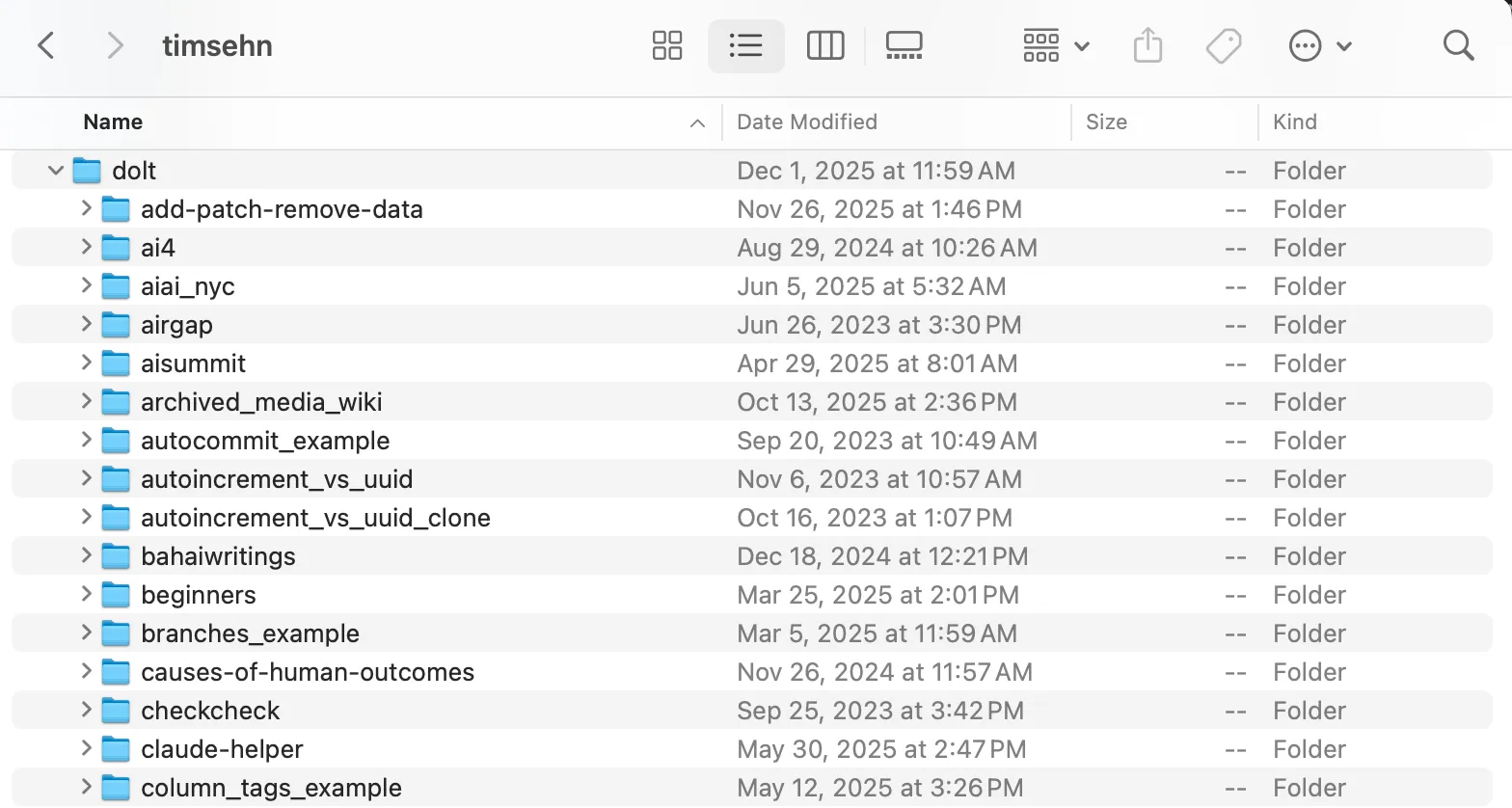
Here at DoltHub, we often get questions or GitHub issues about Dolt’s use of directories on the filesystem. Dolt has some strange behavior if you don’t have the context around how Dolt uses directories, especially in the presence of a running Dolt SQL Server. This article starts from the invention of Dolt and works its way to the present using an example to explain how Dolt works with directories.
In the Beginning…#
…only users created directories.
Dolt was modeled after Git. In the beginning, there was one way to create a database, called a repository at the time. To create a new Dolt database, you navigated to the directory you wanted the database to reside in, say ~/dolt/directories and ran dolt init. This created a .dolt directory with all the metadata required for Dolt to know this directory contained a Dolt database. You could then run other dolt commands like dolt add or dolt commit in that directory, and they would behave the same as Git, except they would operate on tables instead of files. Dolt was Git for Data.
$ cd ~/dolthub/dolt
$ mkdir directories
$ cd directories
$ dolt init
Successfully initialized dolt data repository.
$ ls -al
total 0
drwxr-xr-x    3 timsehn  staff    96 Dec 29 12:08 .
drwxr-xr-x  146 timsehn  staff  4672 Dec 29 12:08 ..
drwxr-xr-x    6 timsehn  staff   192 Dec 29 12:08 .dolt
$ dolt ls
No tables in working set
At this point in Dolt’s history there was no SQL interface. Dolt was built as a data sharing tool. The intended workflow was:
- Import your data from CSV.
- Inspect the diff.
- Create a commit.
- Push to DoltHub to share.
This use case still works today.
$ cat << CSV > file.csv
heredoc> id, words
heredoc> 0, foo
heredoc> 1, bar
heredoc> 2, zap
heredoc> CSV
$ dolt table import -c t file.csv
Rows Processed: 3, Additions: 3, Modifications: 0, Had No Effect: 0
Import completed successfully.
$ dolt ls
Tables in working set:
	 t
$ dolt diff
diff --dolt a/t b/t
added table
+CREATE TABLE `t` (
+  `id` int,
+  `words` varchar(200)
+) ENGINE=InnoDB DEFAULT CHARSET=utf8mb4 COLLATE=utf8mb4_0900_bin;
+---+----+-------+
|   | id | words |
+---+----+-------+
| + | 2  | zap   |
| + | 1  | bar   |
| + | 0  | foo   |
+---+----+-------+
$ dolt add .
$ dolt commit -am "Add a table"
commit d7jlkqc7vqcp3l4207ifjhtlh5mh0p5u (HEAD -> main)
Author: Tim Sehn <tim@dolthub.com>
Date:  Mon Dec 29 12:13:59 -0800 2025

        Add a table

$ dolt remote add origin timsehn/directories
$ dolt push origin main
- Uploading...To https://doltremoteapi.dolthub.com/timsehn/directories
 * [new branch]          main -> main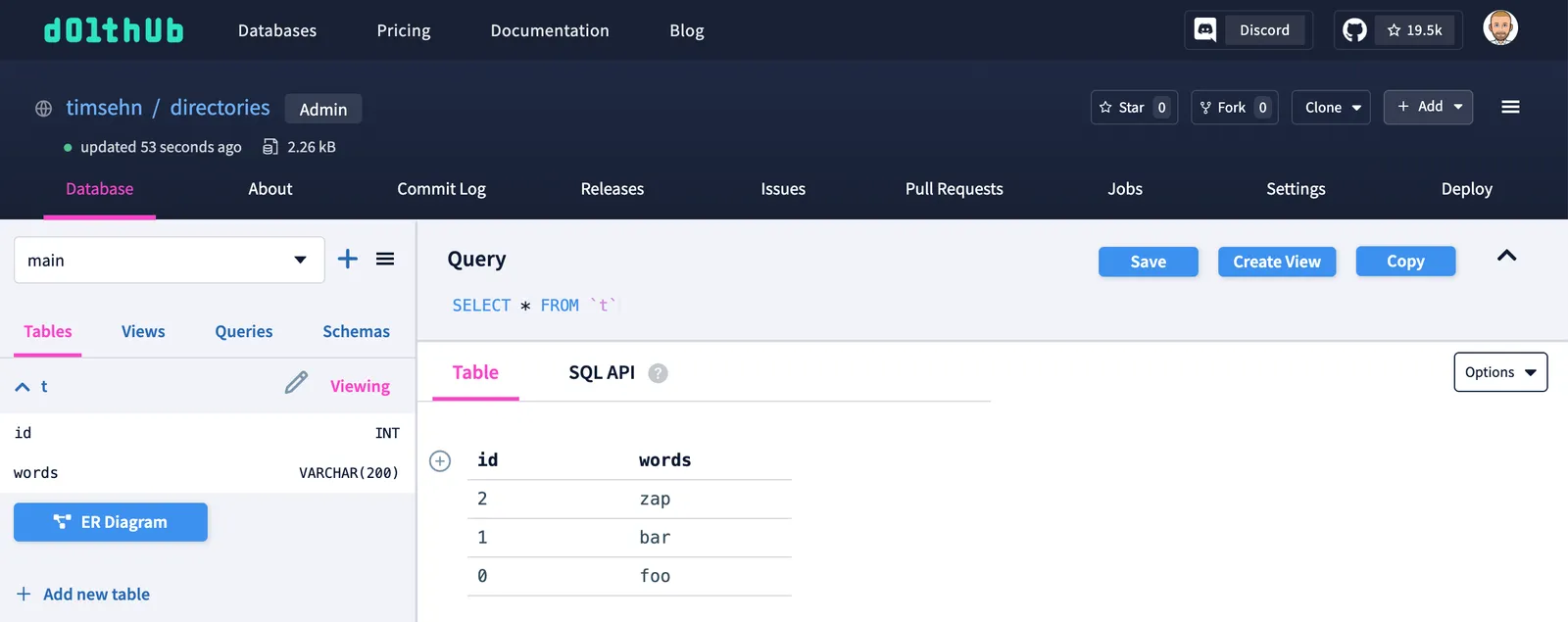
Now, if you clone that database from DoltHub, Dolt creates a new directory in the place where you run dolt clone. You could easily get nested Dolt databases this way, but it didn’t really matter because the database the command line operated on was defined by the directory you were currently in.
$ pwd
/Users/timsehn/dolthub/dolt/directories
$ dolt clone timsehn/directories
cloning https://doltremoteapi.dolthub.com/timsehn/directories
9 of 9 chunks complete.
$ ls -al
total 8
drwxr-xr-x    5 timsehn  staff   160 Dec 29 12:24 .
drwxr-xr-x  146 timsehn  staff  4672 Dec 29 12:08 ..
drwxr-xr-x    7 timsehn  staff   224 Dec 29 12:24 .dolt
drwxr-xr-x    3 timsehn  staff    96 Dec 29 12:24 directories
-rw-r--r--    1 timsehn  staff    31 Dec 29 12:12 file.csv
$ cd directories
$ pwd
/Users/timsehn/dolthub/dolt/directories/directories
$ ls -al
total 0
drwxr-xr-x  3 timsehn  staff   96 Dec 29 12:24 .
drwxr-xr-x  5 timsehn  staff  160 Dec 29 12:24 ..
drwxr-xr-x  6 timsehn  staff  192 Dec 29 12:24 .dolt
$ cd ..
$ rm -r directories
For those familiar with Git, this should all be making sense so far. Moreover, we thought we were so clever adapting Git’s interface to tables using directories as a core building block. As you’ll see, we started to feel less and less clever as we added new Dolt features.
Enter SQL#
At this point Dolt wasn’t very full featured. How would you interact with the data beyond import and diff? What if you wanted to add a column to a table? How should that change be represented? Dolt needed query and schema interfaces. SQL has both of these and is widely understood. What if we added SQL schemas and a dolt sql command to run queries to Dolt? This is exactly what we did.
$ dolt sql -q "show tables"
+-----------------------+
| Tables_in_directories |
+-----------------------+
| t                     |
+-----------------------+

$ dolt sql -q "show create table t"
+-------+------------------------------------------------------------------+
| Table | Create Table                                                     |
+-------+------------------------------------------------------------------+
| t     | CREATE TABLE `t` (                                               |
|       |   `id` int,                                                      |
|       |   `words` varchar(200)                                           |
|       | ) ENGINE=InnoDB DEFAULT CHARSET=utf8mb4 COLLATE=utf8mb4_0900_bin |
+-------+------------------------------------------------------------------+

$ dolt sql -q "select * from t"
+----+-------+
| id | words |
+----+-------+
| 2  | zap   |
| 1  | bar   |
| 0  | foo   |
+----+-------+
Now, what is the database name for this database? This is where it gets a bit tricky. In Git, your repository name is usually the name of the root directory. This isn’t static; you can change the name of the directory, and Git doesn’t care. So in Dolt, we made the database name the name of the directory the .dolt directory resides in. Similarly, Dolt doesn’t really care if you rename the directory.
$ dolt sql -q "show databases"
+--------------------+
| Database           |
+--------------------+
| directories        |
| information_schema |
| mysql              |
+--------------------+

$ mv ../directories ../some_other_name
$ dolt sql -q "show databases"
+--------------------+
| Database           |
+--------------------+
| directories        |
| information_schema |
| mysql              |
| some_other_name    |
+--------------------+

$ dolt sql -q "show databases"
+--------------------+
| Database           |
+--------------------+
| information_schema |
| mysql              |
| some_other_name    |
+--------------------+

$ mv ../some_other_name ../directories
$ dolt sql -q "show databases"
+--------------------+
| Database           |
+--------------------+
| directories        |
| information_schema |
| mysql              |
+--------------------+
This was still pretty ergonomic. However, we tied a database concept, the name, to the directory the data resides in. The database name could be changed without the database’s knowledge. It started to get a bit messy.
Enter SQL Server#
At this point, Dolt had a SQL interface for defining schema and querying. But how do you connect tools to Dolt? Most databases are client/server. You start a server and then use a client to connect to the database. With Dolt’s interface at the time, programmatic clients would need to program against Dolt’s internal interfaces. That was not ideal.
We chose the MySQL flavor of SQL for reasons. Could Dolt just respond to MySQL clients? Yes, if there was a running Dolt server. We created the dolt sql-server command in Dolt that would start a MySQL-compatible server to serve the Dolt database in the directory you ran it. You run that in the directory where your .dolt file is and now there is a server running that users can connect to.
In one terminal, I start the server.
$ dolt sql-server
Starting server with Config HP="localhost:3306"|T="28800000"|R="false"|L="info"|S="/tmp/mysql.sock"
INFO[0000] Creating root@localhost superuser
WARN[0000] unix socket set up failed: file already in use: /tmp/mysql.sock
INFO[0000] Server ready. Accepting connections.
WARN[0000] secure_file_priv is set to "", which is insecure.
WARN[0000] Any user with GRANT FILE privileges will be able to read any file which the sql-server process can read.
WARN[0000] Please consider restarting the server with secure_file_priv set to a safe (or non-existent) directory.
In another I connect using a MySQL client.
$ mysql -u root -h localhost -P 3306
WARNING: option --ssl-verify-server-cert is disabled, because of an insecure passwordless login.
Welcome to the MariaDB monitor.  Commands end with ; or \g.
Your MySQL connection id is 1
Server version: 8.0.33 Dolt

Copyright (c) 2000, 2018, Oracle, MariaDB Corporation Ab and others.

Type 'help;' or '\h' for help. Type '\c' to clear the current input statement.

MySQL [(none)]> show databases;
+--------------------+
| Database           |
+--------------------+
| directories        |
| information_schema |
| mysql              |
+--------------------+
3 rows in set (0.001 sec)

MySQL [(none)]> use directories;
Reading table information for completion of table and column names
You can turn off this feature to get a quicker startup with -A

Database changed
MySQL [directories]> show tables;
+-----------------------+
| Tables_in_directories |
+-----------------------+
| t                     |
+-----------------------+
1 row in set (0.001 sec)

MySQL [directories]> select * from t;
+------+-------+
| id   | words |
+------+-------+
|    2 | zap   |
|    1 | bar   |
|    0 | foo   |
+------+-------+
3 rows in set (0.001 sec)
Pretty slick if I do say so myself. At about this time, we coined the term, “Dolt is like Git and MYSQL had a baby”.
However, the introduction of a server created a couple problems.
- What if you want to use the Dolt command line interface (CLI) in that directory while the Dolt server is running?
- A single Dolt server can serve multiple databases. How does Dolt handle that?
CLI with a Server#
What if someone wanted to use the CLI while a Dolt server was running? This was problematic because the CLI interfaced directly with storage and the server had a separate concurrency management layer for multiple SQL clients. Thus, there was no concurrency control between the CLI and the server.
So at first, the server created a lock file when it was run. If a Dolt server was running and you tried to use the CLI, you got a helpful error message something like:
ERROR: Server is running. Connect with a MySQL client instead.Obviously, users thought this solution sucked so we spent a few months migrating as many CLI commands to use the server interface, if it is available, as possible. Today, the CLI works pretty seamlessly regardless of whether there is a running server or not.
But dolt checkout still doesn’t work.
$ dolt checkout -b foo
dolt checkout can not currently be used when there is a local server running. Please stop your dolt sql-server or connect using `dolt sql` instead.
This is because dolt checkout on the command line is stateful across CLI commands, whereas in SQL, it just changes the branch for the SQL session. The actual behavior of dolt checkout is different if it is run on the command line or on a SQL server. Thus, we disallow the command line version if a server is running.
But checkout this madness.
$ dolt sql -q "call dolt_checkout('-b', 'foo');"
+--------+--------------------------+
| status | message                  |
+--------+--------------------------+
| 0      | Switched to branch 'foo' |
+--------+--------------------------+

$ dolt sql -q "select active_branch()"
+-----------------+
| active_branch() |
+-----------------+
| main            |
+-----------------+

$ dolt sql -q "call dolt_checkout('foo'); select active_branch()"
+--------+--------------------------+
| status | message                  |
+--------+--------------------------+
| 0      | Switched to branch 'foo' |
+--------+--------------------------+

+-----------------+
| active_branch() |
+-----------------+
| foo             |
+-----------------+
As you can see, we’re starting to pile up the edge cases tying the CLI with the server.
Multiple Databases#
A standard database server can serve multiple databases. You switch databases using use. You create a database using create database. You remove a database using drop database. Multiple databases really mess up Dolt’s one database per directory design.
Fortunately, this mostly just works from the server perspective, but your directory tree can get a little weird.
MySQL [(none)]> show databases;
+--------------------+
| Database           |
+--------------------+
| directories        |
| information_schema |
| mysql              |
+--------------------+
3 rows in set (0.000 sec)

MySQL [(none)]> create database one_more_db;
Query OK, 1 row affected (0.075 sec)

MySQL [(none)]> create database and_a_third_db;
Query OK, 1 row affected (0.062 sec)

MySQL [(none)]> show databases;
+--------------------+
| Database           |
+--------------------+
| and_a_third_db     |
| directories        |
| information_schema |
| mysql              |
| one_more_db        |
+--------------------+
5 rows in set (0.001 sec)
We have our original directories database and two more databases name one_more_db and and_a_third_db. Let’s see what these look like on the filesystem.
$ pwd
/Users/timsehn/dolthub/dolt/directories
$ ls -al
total 16
drwxr-xr-x    8 timsehn  staff   256 Dec 29 14:03 .
drwxr-xr-x  146 timsehn  staff  4672 Dec 29 12:54 ..
drwxr-xr-x    8 timsehn  staff   256 Dec 29 13:55 .dolt
drwxr-xr-x    4 timsehn  staff   128 Dec 29 13:55 .doltcfg
drwxr-xr-x    3 timsehn  staff    96 Dec 29 14:03 and_a_third_db
-rwxrwxrwx    1 timsehn  staff  2154 Dec 29 13:06 config.yaml
-rw-r--r--    1 timsehn  staff    31 Dec 29 12:12 file.csv
drwxr-xr-x    3 timsehn  staff    96 Dec 29 14:02 one_more_db
So we have a parent directory named directories with one_more_db and and_a_third_db contained within it. When started, the Dolt SQL server looks in the current directory and any subdirectories to decide what databases to serve. If I navigate into one_more_db and start a server, only that database will be served by the server.
In the server shell:
$ cd one_more_db
$ dolt sql-server
Starting server with Config HP="localhost:3306"|T="28800000"|R="false"|L="info"|S="/tmp/mysql.sock"
WARN[0000] unix socket set up failed: file already in use: /tmp/mysql.sock
INFO[0000] Server ready. Accepting connections.
WARN[0000] secure_file_priv is set to "", which is insecure.
WARN[0000] Any user with GRANT FILE privileges will be able to read any file which the sql-server process can read.
WARN[0000] Please consider restarting the server with secure_file_priv set to a safe (or non-existent) directory.
Now, in the client shell:
$ dolt sql -q "show databases"
+--------------------+
| Database           |
+--------------------+
| information_schema |
| mysql              |
| one_more_db        |
+--------------------+
So depending on which directory you’re SQL server is started in, you will see different databases served. This is confusing because you may see an extra database named after the parent directory. The databases don’t all live in the same directory. This can often lead to many confusing directory levels of nested Dolt databases.
Conclusion#
Dolt uses directories on your filesystem to store databases. This comes from the Dolt’s origins as Git for Data. These directories can get confusing. But…we’re always here to help. Come by our Discord if you hit any weird directory issues.