
Today, we’re excited to announce that DoltLite databases are now supported on DoltHub! Originally, DoltHub was only compatible with Dolt databases. Now, our PostgreSQL and SQLite-flavored databases, Doltgres and DoltLite, are ready for DoltHub. This unlocks the collaboration features of GitHub, like pull requests and releases, but for databases instead of code.
What is DoltLite?#
DoltLite is a fork of SQLite that replaces the B-tree storage engine with a content-addressed prolly tree. This is what enables DoltLite’s Git-like version control primitives such as commits, branches, and merges, all of which are now accessible from DoltHub’s graphical interface. Since DoltLite only differs from SQLite at the storage level, everything above storage is pure SQLite.
Another feature of DoltLite is the ability to work with remotes, or offline copies of your database that you can push, pull, and clone. You can now use DoltHub for free as a DoltLite remote.
DoltLite on DoltHub#
To get started with DoltLite on DoltHub, create a DoltHub account and select “Create Database”, then enter DoltLite as the database type.
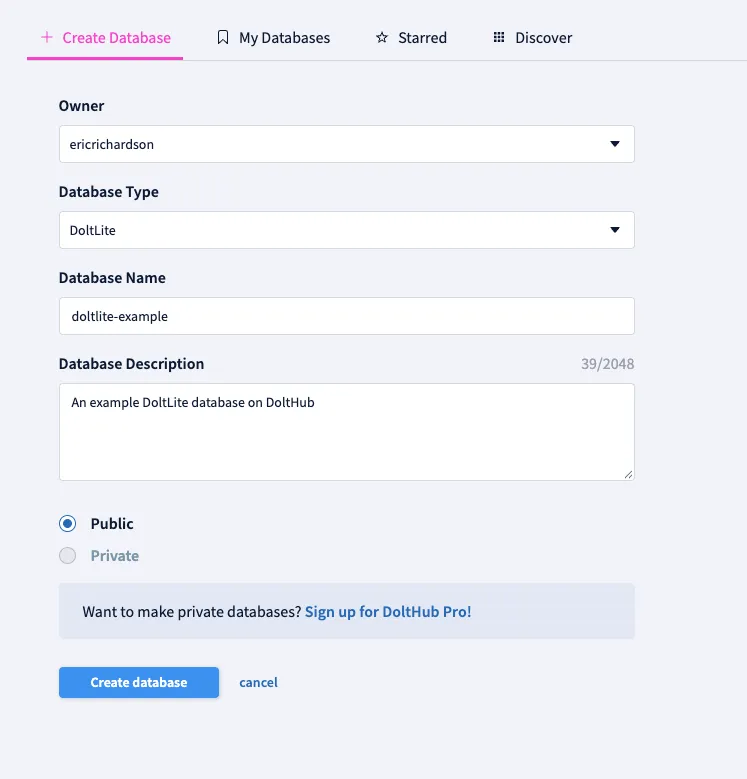
From here, you can either create tables and add data directly from the DoltHub UI, or configure your new database as a remote and push a local DoltLite database. For this example, we’ll do the latter using the DoltLite CLI.
doltlite doltlite-example.db
DoltLite v0.51.6 (SQLite 3.55.0)
Enter ".help" for usage hints.

doltlite> CREATE TABLE people (id INTEGER PRIMARY KEY, name TEXT NOT NULL, age INTEGER);
doltlite> INSERT INTO people VALUES (1, 'Alice', 30), (2, 'Bob', 25), (3, 'Carol', 41);

doltlite> SELECT * FROM dolt_status;
╭────────────┬────────┬───────────╮
│ table_name │ staged │  status   │
╞════════════╪════════╪═══════════╡
│ people     │      0 │ new table │
╰────────────┴────────┴───────────╯

doltlite> SELECT dolt_commit('-Am', 'Add people table');
╭──────────────────────────────────────────╮
│           dolt_commit('-Am'...           │
╞══════════════════════════════════════════╡
│ ef54a9296e7f5d87919a4eedbd10a1c35c3dcd55 │
╰──────────────────────────────────────────╯

doltlite> SELECT dolt_remote('add', 'origin', 'https://doltliteremoteapi.dolthub.com/ericrichardson/doltlite-example');
╭──────────────────────╮
│ dolt_remote('add'... │
╞══════════════════════╡
│                    0 │
╰──────────────────────╯

doltlite> SELECT dolt_push('origin', 'main');
╭──────────────────────╮
│ dolt_push('origin... │
╞══════════════════════╡
│                    0 │
╰──────────────────────╯
Back on DoltHub, we can see the new data populated on the UI.
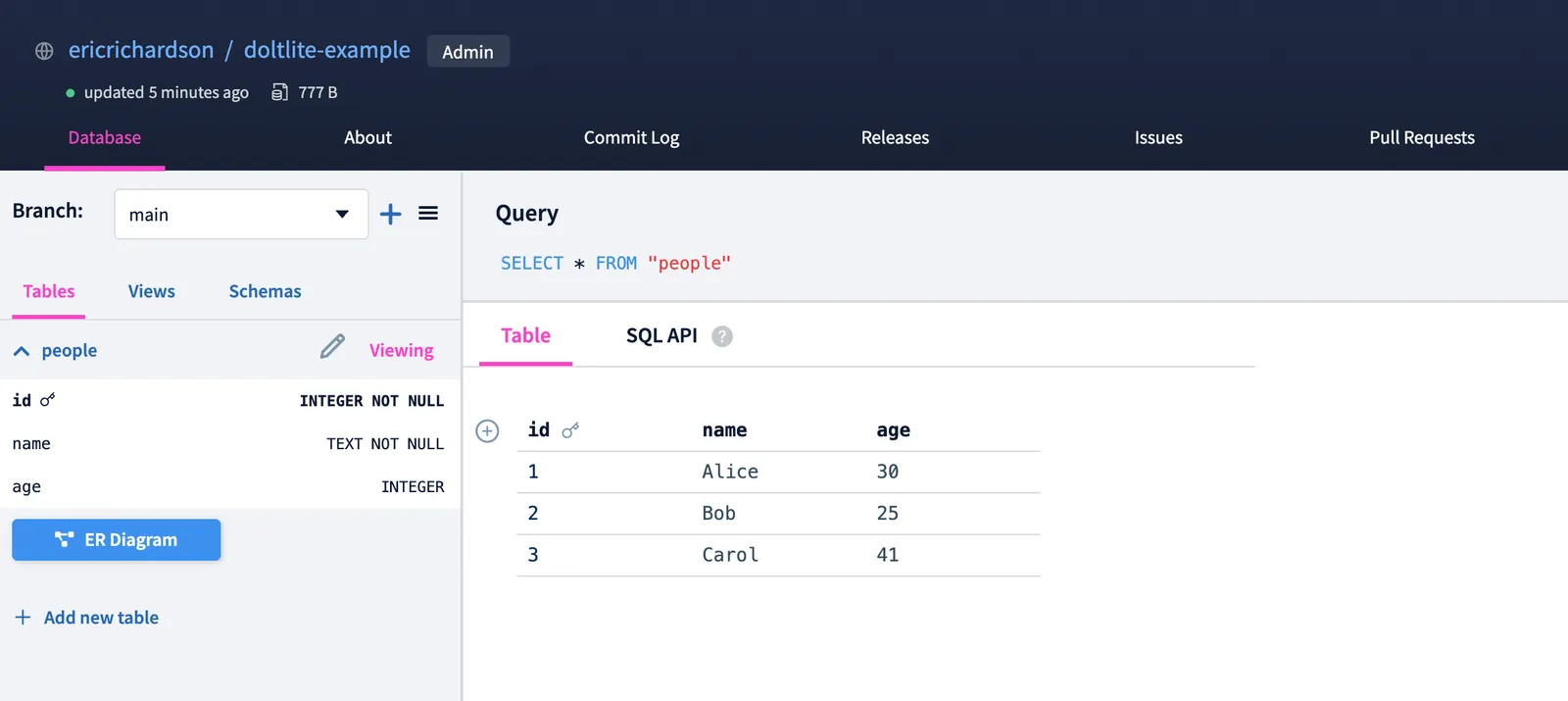
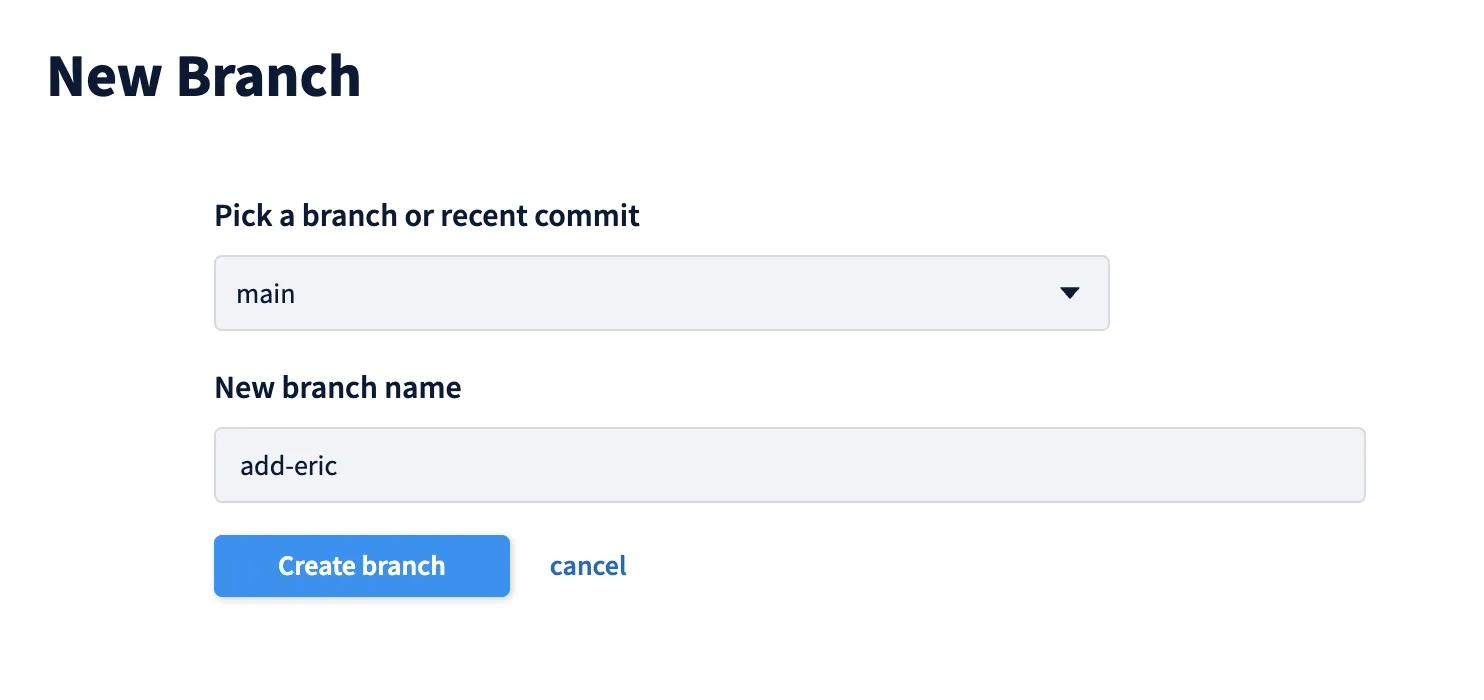
We can now run queries, make commits, create PRs, releases, issues, and more. For example, let’s create a new branch directly from DoltHub.
On this branch, we’ll add a new row to the people table.
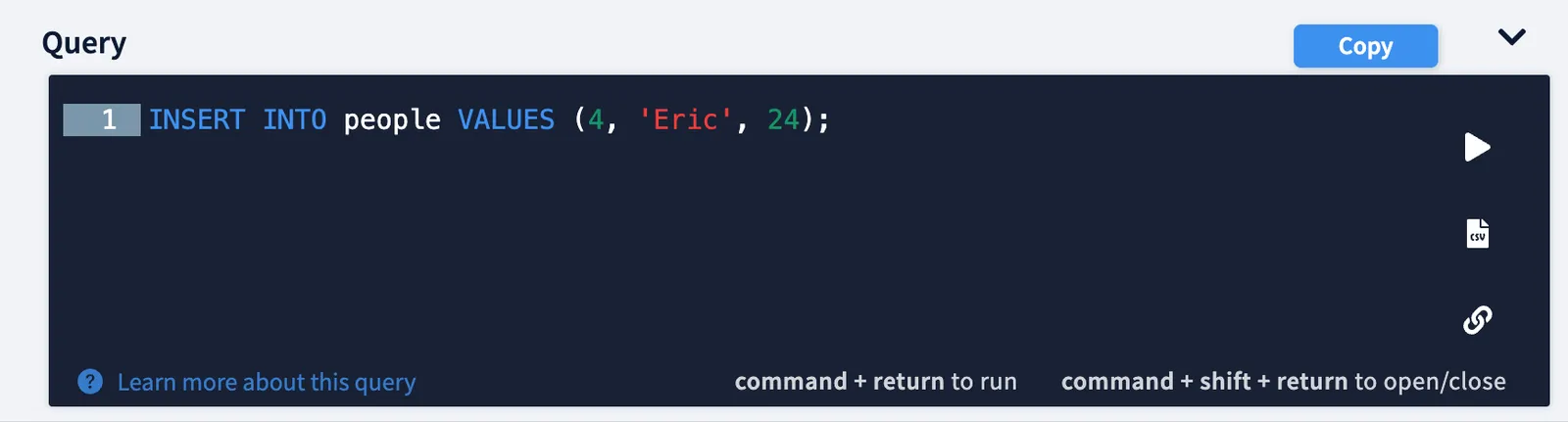
After running a write query, we enter a DoltHub workspace. Workspaces act like local working sets; you can make changes to the data without actually committing them to a branch.
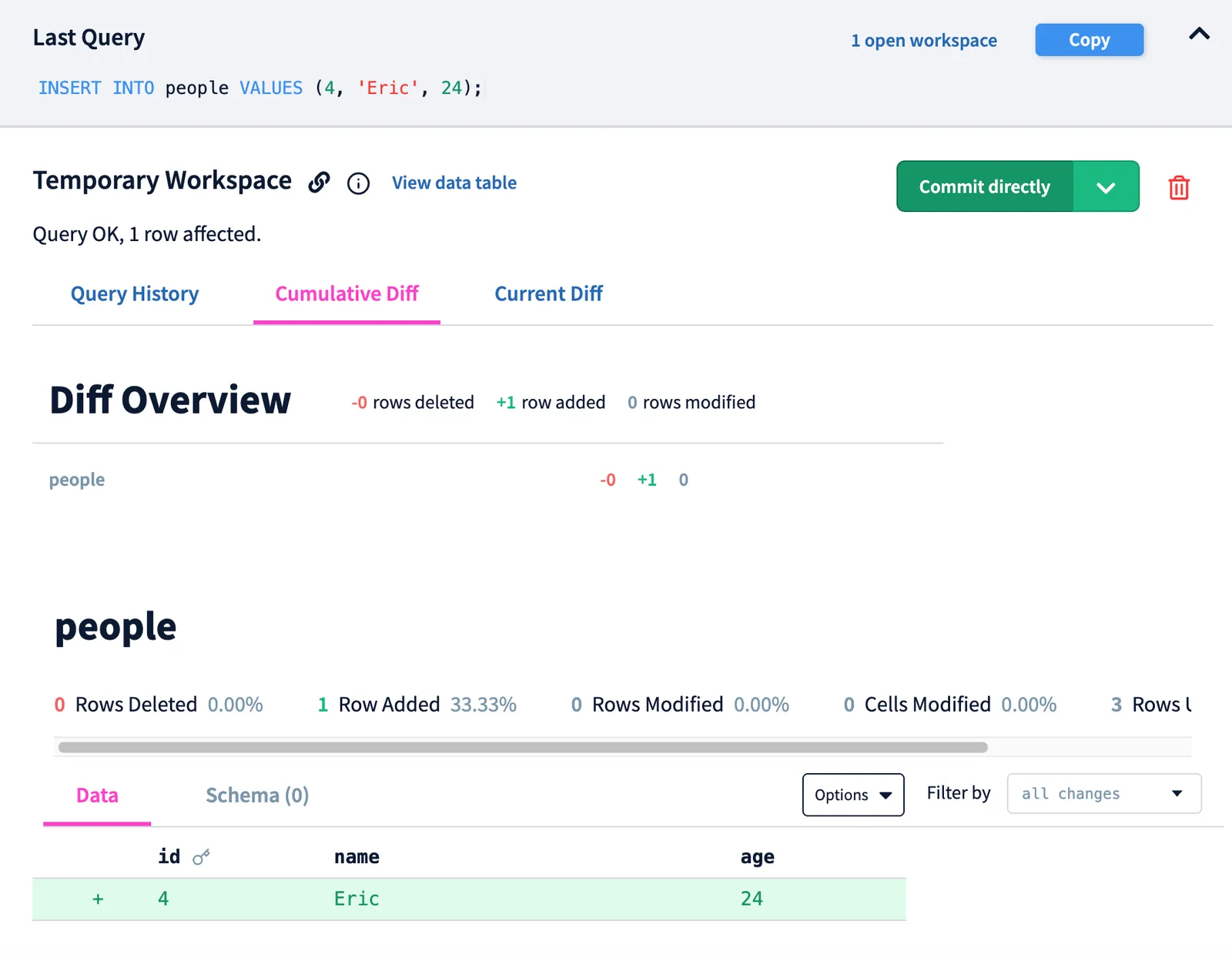
After viewing the diff, we can hit “Commit Directly” to make the change official on our new branch. Then, we’ll see the corresponding change reflected in the commit log.

You can also create Pull Requests, which allow you to merge one branch into another and provide others with the opportunity to review your changes. Here’s a PR for merging the add-eric branch into main.
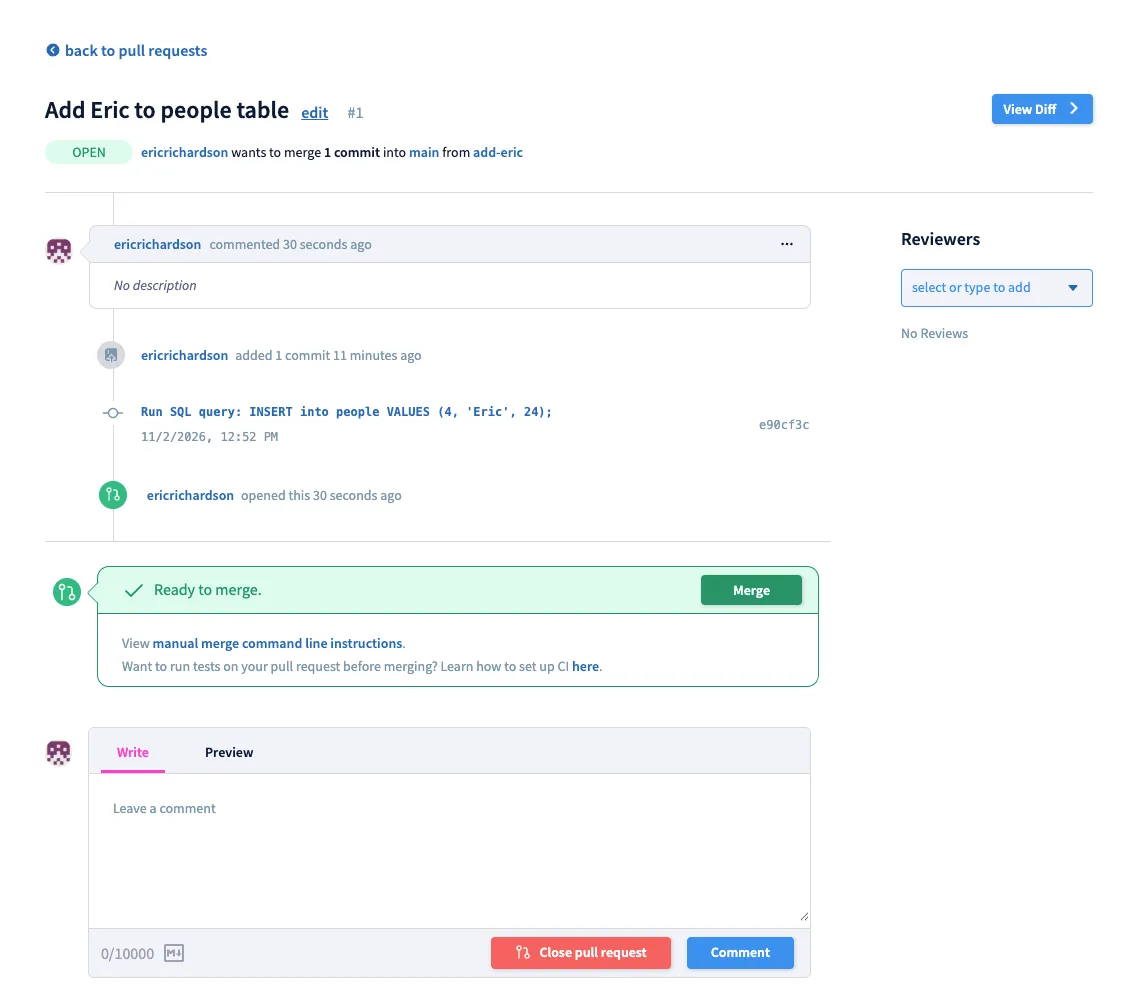
From here, we can view the diff, leave comments, and request reviews from others. Once the changes are ready, we can merge the PR.
In addition to these features, DoltHub also supports releases, issues, fine-grained collaborator permissions, private databases, and more.
DoltHub as a SQLite Sync Engine#
Since SQLite is an embedded database, it’s great for applications that keep their data locally. But what happens when you want to share that data across devices, or combine changes made by multiple users? It’s easy to copy a database file. It’s not so easy to reconcile two copies that have both changed.
DoltLite’s version control features give you a way to do that, and DoltHub gives your shared database a place to live. Your application can work with a local DoltLite database, commit changes offline, and push those commits to DoltHub. Other devices are then able to pull those changes into their own local databases. We think this model is especially powerful in the agentic engineering era, where agents can work independently with local copies of a database, then use DoltHub to share and merge their changes.
Conclusion#
We’re really excited that DoltHub is now capable of hosting Dolt, Doltgres, and DoltLite databases. If you have any feature requests or want to discuss use cases involving DoltLite and DoltHub, come by our Discord and let us know.