
Announcing DoltLite, a free, open source drop-in replacement for SQLite with Dolt-style version control features.

What is Dolt?#
For those of you unfamiliar with Dolt, Dolt is an Online Transaction Processing (OLTP) database built from the storage engine up to provide Git-style version control to tables instead of files. Think Git and MySQL had a baby. You can branch, merge, diff, clone, push and pull your Dolt databases the same way you do with your Git repositories. In order to do this right, you need to build on top of a novel B-tree called a Prolly Tree. Prolly Trees are Dolt’s secret sauce.
What is DoltLite?#
DoltLite is a fork of SQLite where the B-tree storage backend is replaced with a Dolt-inspired Prolly Tree. DoltLite is entirely vibe-coded using Gas Town. DoltLite is as if SQLite and Git had a baby — a drop-in replacement for SQLite with Git-style version control features.
Like SQLite, DoltLite can be embedded as a library. Example C, Python, and Golang applications are provided. The CLI works, rebranded as doltlite instead of sqlite3. File-backed and in-memory databases both work invoked using standard doltlite dolt.db and doltlite :memory: syntax respectively.
Issues and feature requests are welcome. DoltLite is in alpha, so being brand new, there will be bugs. Bug fixes and feature requests will be processed using Gas Town or other coding agents. DoltLite is “write-only code” for now. Expect some newer versions to have a different, non-backwards compatible storage format.
The biggest feature gap with Dolt right now is any commands dealing with remotes: clone, push, pull, and fetch. DoltLite is single player today. However, just like SQLite, the database is a single file (after garbage collection), so you can share that as much as you want, it will just be a hard fork.
DoltLite is free and open source, available via Github.
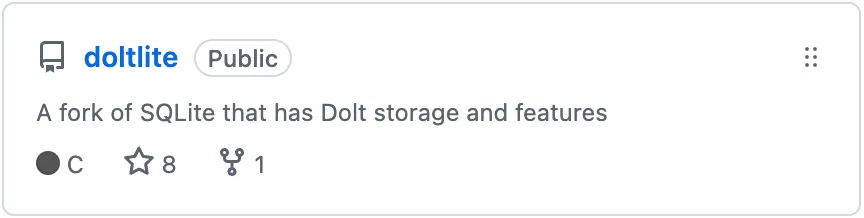
The DoltLite-specific code is licensed Apache 2.0, like Dolt. SQLite’s source remains public domain licensed.
DoltLite’s storage engine and version control features are ~18,000 lines of new C code. Only 8 lines of original SQLite C code were changed. We can easily sync changes from upstream SQLite if needed. Everything else is additive: new files, new build rules, and #ifdef-guarded additions. The entire SQLite codebase compiles and works identically when built with DOLTLITE_PROLLY=0.
Support#
DoltLite will remain under my GitHub user profile in the short- to medium-term, indicating I personally support this project. DoltLite is first and foremost an experiment with supporting a purely vibe-coded application. I will reassess DoltHub’s support for DoltLite based on interest, usage, and maintainability.
If you love DoltLite and use it in production, please tell me via email or our Discord. We are absolutely open to moving DoltLite into the DoltHub GitHub organization and supporting it with the full weight of our company if usage demands.
Getting Started#
Now let’s give you a tour of DoltLite to give you an idea of its features. I’ll walk through the example in the Dolt README to show off DoltLite’s capabilities.
Install#
I’m going to use the doltlite shell, not the library. If you are interested in using DoltLite as a library, consult the example applications in source code.
Download the doltlite-tools zip from the latest GitHub release for your operating system. I am on MacOS. Unzip it. Move the doltlite application to somewhere already on your path and remove the MacOS quarantine.
$ sudo cp ~/Downloads/doltlite-tools-osx-arm64-0.1.0/doltlite /usr/local/bin
$ which doltlite
/usr/local/bin/doltlite
$ sudo xattr -d com.apple.quarantine /usr/local/bin/doltlite
$ doltlite dolt.db
DoltLite 0.1.1 (SQLite 3.53.0)
Enter ".help" for usage hints.
doltlite>
Create a Schema#
DoltLite supports all SQLite SQL. In fact, none of the parsing and query engine code was modified. All 87,000 SQLite acceptance tests pass. If you never use any Dolt features, DoltLite will look and feel exactly like SQLite, except a bit slower on the write path.
doltlite> create table employees (
    id int,
    last_name varchar(255),
    first_name varchar(255),
    primary key(id));
Dot commands work as expected in DoltLite.
doltlite> .tables;
employees
doltlite> .schema employees;
CREATE TABLE employees (
    id int,
    last_name varchar(255),
    first_name varchar(255),
    primary key(id));
Now back to the rest of schema.
doltlite> create table teams (
    id int,
    team_name varchar(255),
    primary key(id));
doltlite> create table employees_teams(
    team_id int,
    employee_id int,
    primary key(team_id, employee_id),
    foreign key (team_id) references teams(id),
    foreign key (employee_id) references employees(id));
doltlite> .tables;
employees     employees_teams     teams
Note, SQLite and DoltLite have foreign key checks off by default so the foreign key here is only for show. You can turn foreign key checks on with PRAGMA foreign_keys = ON or by compiling DoltLite with -DSQLITE_DEFAULT_FOREIGN_KEYS=1.
Make a Dolt Commit#
It’s time to use your first DoltLite version control feature. We’re going to make a DoltLite commit. A commit allows you to time travel and see lineage. Make a Dolt commit whenever you want to restore or compare to this point in time.
DoltLite exposes Git-style version control functionality via SQL functions. Version control read operations are exposed as system tables or table functions and version control write operations are exposed as functions.
The naming of the system tables and functions follows the dolt_<command> pattern. So dolt add becomes dolt_add as a SQL function. Passing options also follows the command line model. For instance, to specify tables to add, send the table names in as options to the dolt_add procedure. For named arguments like sending a message into the dolt_commit command use two arguments in sequence like ('-m', 'This is a message'). If you know Git or Dolt, the version control functions and system tables should feel familiar.
doltlite> select dolt_add('teams', 'employees', 'employees_teams');
╭──────────────────────╮
│ dolt_add('teams',... │
╞══════════════════════╡
│                    0 │
╰──────────────────────╯
doltlite> select dolt_commit('-m', 'Created initial schema');
╭──────────────────────────────────────────╮
│           dolt_commit('-m',...           │
╞══════════════════════════════════════════╡
│ 4189cec5adedfe164be8f19d7ab0afad3da3f8b1 │
╰──────────────────────────────────────────╯
doltlite> select * from dolt_log;
╭──────────────────────────────────────────┬───────────┬───────┬─────────────────────┬────────────────────────╮
│               commit_hash                │ committer │ email │        date         │        message         │
╞══════════════════════════════════════════╪═══════════╪═══════╪═════════════════════╪════════════════════════╡
│ 4189cec5adedfe164be8f19d7ab0afad3da3f8b1 │ doltlite  │       │ 2026-03-24 18:16:59 │ Created initial schema │
╰──────────────────────────────────────────┴───────────┴───────┴─────────────────────┴────────────────────────╯
There you have it. Your schema is created and you have a DoltLite commit tracking the creation, as seen in the dolt_log system table.
Note, a DoltLite commit is different than a standard SQL transaction COMMIT. In this case, I am running the database with AUTOCOMMIT on, so each SQL statement is automatically generating a transaction COMMIT.
Insert Some Data#
Now, I’m going to populate the database with a few employees here at DoltHub. Then, I’ll assign the employees to two teams: engineering and sales. The CEO wears many hats at a start up so he’ll be assigned to multiple teams.
doltlite> insert into employees values
    (0, 'Sehn', 'Tim'),
    (1, 'Hendriks', 'Brian'),
    (2, 'Son','Aaron'),
    (3, 'Fitzgerald', 'Brian');
doltlite> select * from employees where first_name='Brian';
╭────┬────────────┬────────────╮
│ id │ last_name  │ first_name │
╞════╪════════════╪════════════╡
│  1 │ Hendriks   │ Brian      │
│  3 │ Fitzgerald │ Brian      │
╰────┴────────────┴────────────╯
doltlite> insert into teams values
    (0, 'Engineering'),
    (1, 'Sales');
doltlite> insert into employees_teams(employee_id, team_id) values
    (0,0),
    (1,0),
    (2,0),
    (0,1),
    (3,1);
doltlite> select first_name, last_name, team_name from employees
    join employees_teams on (employees.id=employees_teams.employee_id)
    join teams on (teams.id=employees_teams.team_id)
    where team_name='Engineering';
╭────────────┬───────────┬─────────────╮
│ first_name │ last_name │  team_name  │
╞════════════╪═══════════╪═════════════╡
│ Tim        │ Sehn      │ Engineering │
│ Brian      │ Hendriks  │ Engineering │
│ Aaron      │ Son       │ Engineering │
╰────────────┴───────────┴─────────────╯
Looks like everything is inserted and correct. I was able to list the members of the engineering team using that three table JOIN.
Examine the Diff#
Now, what if you want to see what changed in your working set before you make a commit? You use the dolt_status and dolt_diff() table function.
doltlite> select * from dolt_status;
╭─────────────────┬────────┬──────────╮
│   table_name    │ staged │  status  │
╞═════════════════╪════════╪══════════╡
│ employees       │      0 │ modified │
│ teams           │      0 │ modified │
│ employees_teams │      0 │ modified │
╰─────────────────┴────────┴──────────╯
doltlite> select * from dolt_diff('employees');
╭───────────┬───────────┬────────────┬────────────────────╮
│ diff_type │ rowid_val │ from_value │      to_value      │
╞═══════════╪═══════════╪════════════╪════════════════════╡
│ added     │         0 │ NULL       │ 0|Sehn|Tim         │
│ added     │         1 │ NULL       │ 1|Hendriks|Brian   │
│ added     │         2 │ NULL       │ 2|Son|Aaron        │
│ added     │         3 │ NULL       │ 3|Fitzgerald|Brian │
╰───────────┴───────────┴────────────┴────────────────────╯
As you can see from the diff, I’ve added the correct values to the employees table. The values were previously NULL and now they are populated.
Let’s finish off with another Dolt commit this time adding all effected tables using -a.
doltlite> select dolt_commit('-a', '-m', 'Populated tables with data');
╭──────────────────────────────────────────╮
│           dolt_commit('-a',...           │
╞══════════════════════════════════════════╡
│ 90b073cdd433480ca9057bc5f4472f9d1ffcd2a1 │
╰──────────────────────────────────────────╯
doltlite> select * from dolt_log;
╭──────────────────────────────────────────┬───────────┬───────┬─────────────────────┬────────────────────────────╮
│               commit_hash                │ committer │ email │        date         │          message           │
╞══════════════════════════════════════════╪═══════════╪═══════╪═════════════════════╪════════════════════════════╡
│ 90b073cdd433480ca9057bc5f4472f9d1ffcd2a1 │ doltlite  │       │ 2026-03-24 18:41:05 │ Populated tables with data │
│ 4189cec5adedfe164be8f19d7ab0afad3da3f8b1 │ doltlite  │       │ 2026-03-24 18:16:59 │ Created initial schema     │
╰──────────────────────────────────────────┴───────────┴───────┴─────────────────────┴────────────────────────────╯
doltlite> select * from dolt_diff_employees;
╭───────┬──────────────┬───────────────┬─────┬────────────┬─────────────┬─────────────────────┬────────────────────────────────────────┬───────────────────┬───────────────────┬─────────╮
│from_id│from_last_name│from_first_name│to_id│to_last_name│to_first_name│     from_commit     │               to_commit                │ from_commit_date  │  to_commit_date   │diff_type│
╞═══════╪══════════════╪═══════════════╪═════╪════════════╪═════════════╪═════════════════════╪════════════════════════════════════════╪═══════════════════╪═══════════════════╪═════════╡
│NULL   │NULL          │NULL           │    0│Sehn        │Tim          │4189cec5adedfe164be8f│90b073cdd433480ca9057bc5f4472f9d1ffcd2a1│2026-03-24 18:16:59│2026-03-24 18:41:05│added    │
│       │              │               │     │            │             │19d7ab0afad3da3f8b1  │                                        │                   │                   │         │
├───────┼──────────────┼───────────────┼─────┼────────────┼─────────────┼─────────────────────┼────────────────────────────────────────┼───────────────────┼───────────────────┼─────────┤
│NULL   │NULL          │NULL           │    1│Hendriks    │Brian        │4189cec5adedfe164be8f│90b073cdd433480ca9057bc5f4472f9d1ffcd2a1│2026-03-24 18:16:59│2026-03-24 18:41:05│added    │
│       │              │               │     │            │             │19d7ab0afad3da3f8b1  │                                        │                   │                   │         │
├───────┼──────────────┼───────────────┼─────┼────────────┼─────────────┼─────────────────────┼────────────────────────────────────────┼───────────────────┼───────────────────┼─────────┤
│NULL   │NULL          │NULL           │    2│Son         │Aaron        │4189cec5adedfe164be8f│90b073cdd433480ca9057bc5f4472f9d1ffcd2a1│2026-03-24 18:16:59│2026-03-24 18:41:05│added    │
│       │              │               │     │            │             │19d7ab0afad3da3f8b1  │                                        │                   │                   │         │
├───────┼──────────────┼───────────────┼─────┼────────────┼─────────────┼─────────────────────┼────────────────────────────────────────┼───────────────────┼───────────────────┼─────────┤
│NULL   │NULL          │NULL           │    3│Fitzgerald  │Brian        │4189cec5adedfe164be8f│90b073cdd433480ca9057bc5f4472f9d1ffcd2a1│2026-03-24 18:16:59│2026-03-24 18:41:05│added    │
│       │              │               │     │            │             │19d7ab0afad3da3f8b1  │                                        │                   │                   │         │
╰───────┴──────────────┴───────────────┴─────┴────────────┴─────────────┴─────────────────────┴────────────────────────────────────────┴───────────────────┴───────────────────┴─────────╯
You can see an audit log of every cell of DoltLite committed data using the dolt_diff_<tablename> table.
Oh no! I made a mistake.#
DoltLite supports undoing changes via select dolt_reset(). Let’s imagine I accidentally drop a table. In a traditional database, this could be disastrous. In DoltLite, you’re one query away from getting your table back.
doltlite> drop table employees_teams;
doltlite> .tables;
employees     teams
doltlite> select dolt_reset('--hard');
╭──────────────────────╮
│ dolt_reset('--hard') │
╞══════════════════════╡
│                    0 │
╰──────────────────────╯
doltlite> .tables;
employees     employees_teams     teams
Make Changes on a Branch#
To make changes on a branch, I use the dolt_branch() and dolt_checkout() functions.
doltlite> select dolt_branch('modifications');
doltlite> select * from dolt_branches;
╭───────────────┬──────────────────────────────────────────┬────────────╮
│     name      │                   hash                   │ is_current │
╞═══════════════╪══════════════════════════════════════════╪════════════╡
│ main          │ 90b073cdd433480ca9057bc5f4472f9d1ffcd2a1 │          1 │
│ modifications │ 90b073cdd433480ca9057bc5f4472f9d1ffcd2a1 │          0 │
╰───────────────┴──────────────────────────────────────────┴────────────╯
doltlite> select dolt_checkout('modifications');
╭──────────────────────╮
│ dolt_checkout('mo... │
╞══════════════════════╡
│                    0 │
╰──────────────────────╯
doltlite> update employees SET first_name='Timothy' where first_name='Tim';
doltlite> insert INTO employees (id, first_name, last_name) values (4,'Daylon', 'Wilkins');
doltlite> insert into employees_teams(team_id, employee_id) values (0,4);
doltlite> delete from employees_teams where employee_id=0 and team_id=1;
doltlite> select dolt_commit('-a', '-m', 'Modifications on a branch');
╭──────────────────────────────────────────╮
│           dolt_commit('-a',...           │
╞══════════════════════════════════════════╡
│ 1e30fddeafd2d4596e6ecebf47a9eca299e33795 │
╰──────────────────────────────────────────╯
doltlite> select * from dolt_log;
╭──────────────────────────────────────────┬───────────┬───────┬─────────────────────┬────────────────────────────╮
│               commit_hash                │ committer │ email │        date         │          message           │
╞══════════════════════════════════════════╪═══════════╪═══════╪═════════════════════╪════════════════════════════╡
│ 1e30fddeafd2d4596e6ecebf47a9eca299e33795 │ doltlite  │       │ 2026-03-24 20:30:23 │ Modifications on a branch  │
│ 90b073cdd433480ca9057bc5f4472f9d1ffcd2a1 │ doltlite  │       │ 2026-03-24 18:41:05 │ Populated tables with data │
│ 4189cec5adedfe164be8f19d7ab0afad3da3f8b1 │ doltlite  │       │ 2026-03-24 18:16:59 │ Created initial schema     │
╰──────────────────────────────────────────┴───────────┴───────┴─────────────────────┴────────────────────────────╯
Now back on main, I can’t see the changes because they happened on a branch.
doltlite> select dolt_checkout('main');
╭──────────────────────╮
│ dolt_checkout('ma... │
╞══════════════════════╡
│                    0 │
╰──────────────────────╯
doltlite> select * from dolt_log;
╭──────────────────────────────────────────┬───────────┬───────┬─────────────────────┬────────────────────────────╮
│               commit_hash                │ committer │ email │        date         │          message           │
╞══════════════════════════════════════════╪═══════════╪═══════╪═════════════════════╪════════════════════════════╡
│ 90b073cdd433480ca9057bc5f4472f9d1ffcd2a1 │ doltlite  │       │ 2026-03-24 18:41:05 │ Populated tables with data │
│ 4189cec5adedfe164be8f19d7ab0afad3da3f8b1 │ doltlite  │       │ 2026-03-24 18:16:59 │ Created initial schema     │
╰──────────────────────────────────────────┴───────────┴───────┴─────────────────────┴────────────────────────────╯
doltlite> select * from employees;
╭────┬────────────┬────────────╮
│ id │ last_name  │ first_name │
╞════╪════════════╪════════════╡
│  0 │ Sehn       │ Tim        │
│  1 │ Hendriks   │ Brian      │
│  2 │ Son        │ Aaron      │
│  3 │ Fitzgerald │ Brian      │
╰────┴────────────┴────────────╯
But I can always query the state of any table on a branch using the dolt_at_<tablename>() function.
doltlite> select * from dolt_at_employees('modifications');
╭────┬────────────┬────────────╮
│ id │ last_name  │ first_name │
╞════╪════════════╪════════════╡
│  0 │ Sehn       │ Timothy    │
│  1 │ Hendriks   │ Brian      │
│  2 │ Son        │ Aaron      │
│  3 │ Fitzgerald │ Brian      │
│  4 │ Wilkins    │ Daylon     │
╰────┴────────────┴────────────╯
doltlite> select * from dolt_diff('employees', 'main', 'modifications');
╭───────────┬───────────┬────────────┬──────────────────╮
│ diff_type │ rowid_val │ from_value │     to_value     │
╞═══════════╪═══════════╪════════════╪══════════════════╡
│ modified  │         0 │ 0|Sehn|Tim │ 0|Sehn|Timothy   │
│ added     │         4 │ NULL       │ 4|Wilkins|Daylon │
╰───────────┴───────────┴────────────┴──────────────────╯
As you can see, you have the full power of Git-style branches and diffs in a SQLite database with DoltLite.
Make a Schema Change on Another Branch#
I can also make schema changes on branches for isolated testing of new schema. I’m going to add a start_date column on a new branch and populate it.
doltlite> select dolt_branch('schema_changes');
╭──────────────────────╮
│ dolt_branch('sche... │
╞══════════════════════╡
│                    0 │
╰──────────────────────╯
doltlite> select dolt_checkout('schema_changes');
╭──────────────────────╮
│ dolt_checkout('sc... │
╞══════════════════════╡
│                    0 │
╰──────────────────────╯
doltlite> alter table employees add column start_date date;
doltlite> update employees set start_date='2018-09-08';
doltlite> update employees set start_date='2021-04-19' where last_name='Fitzgerald';
doltlite> select * from employees;
╭────┬────────────┬────────────┬────────────╮
│ id │ last_name  │ first_name │ start_date │
╞════╪════════════╪════════════╪════════════╡
│  0 │ Sehn       │ Tim        │ 2018-09-08 │
│  1 │ Hendriks   │ Brian      │ 2018-09-08 │
│  2 │ Son        │ Aaron      │ 2018-09-08 │
│  3 │ Fitzgerald │ Brian      │ 2021-04-19 │
╰────┴────────────┴────────────┴────────────╯
doltlite> select dolt_commit('-a', '-m', 'Added start_date column to employees');
╭──────────────────────────────────────────╮
│           dolt_commit('-a',...           │
╞══════════════════════════════════════════╡
│ 35282e8b1c31570ac9786f3cf7d0b4380da5178a │
╰──────────────────────────────────────────╯
Changing schema on a branch gives you a new method for doing isolated integration testing of new schema changes.
Merge it together#
Let’s assume all the testing of the new schema on the schema_changes branch and data on the modifications branch completed flawlessly. It’s time to merge all our edits together onto main. This is done using the dolt_merge() function.
doltlite> select dolt_checkout('main');
╭──────────────────────╮
│ dolt_checkout('ma... │
╞══════════════════════╡
│                    0 │
╰──────────────────────╯
doltlite> select * from dolt_status;
doltlite> select dolt_merge('schema_changes');
╭──────────────────────────────────────────╮
│           dolt_merge('schem...           │
╞══════════════════════════════════════════╡
│ b5be0795e60dddfaa43bba8415e5f53146c12cd7 │
╰──────────────────────────────────────────╯
doltlite> select * from employees;
╭────┬────────────┬────────────┬────────────╮
│ id │ last_name  │ first_name │ start_date │
╞════╪════════════╪════════════╪════════════╡
│  0 │ Sehn       │ Tim        │ 2018-09-08 │
│  1 │ Hendriks   │ Brian      │ 2018-09-08 │
│  2 │ Son        │ Aaron      │ 2018-09-08 │
│  3 │ Fitzgerald │ Brian      │ 2021-04-19 │
╰────┴────────────┴────────────┴────────────╯
Schema change successful. We now have start dates. Data changes are next.
doltlite> select dolt_merge('modifications');
╭──────────────────────────────────────────╮
│           dolt_merge('modif...           │
╞══════════════════════════════════════════╡
│ 551037fcb05efdeb425e1476e44c484de60c352a │
╰──────────────────────────────────────────╯
doltlite> select * from employees;
╭────┬────────────┬────────────┬────────────╮
│ id │ last_name  │ first_name │ start_date │
╞════╪════════════╪════════════╪════════════╡
│  0 │ Sehn       │ Timothy    │ 2018-09-08 │
│  1 │ Hendriks   │ Brian      │ 2018-09-08 │
│  2 │ Son        │ Aaron      │ 2018-09-08 │
│  3 │ Fitzgerald │ Brian      │ 2021-04-19 │
│  4 │ Wilkins    │ Daylon     │ NULL       │
╰────┴────────────┴────────────┴────────────╯
Data changes successful as well. As you can see, I am now “Timothy” instead of “Tim”, Daylon is added, and we all have start dates except for Daylon who was added on a different branch.
doltlite> select first_name, last_name, team_name from employees
    join employees_teams on (employees.id=employees_teams.employee_id)
    join teams on (teams.id=employees_teams.team_id)
    where team_name='Sales';
╭────────────┬────────────┬───────────╮
│ first_name │ last_name  │ team_name │
╞════════════╪════════════╪═══════════╡
│ Brian      │ Fitzgerald │ Sales     │
╰────────────┴────────────┴───────────╯
I’m also gone from the Sales Team. Engineering is life.
Now, we have a database with all the schema and data changes merged and ready for use.
Conclusion#
As you can see DoltLite is a package of many useful Dolt features in a SQLite database. Please try DoltLite out and let us know what you think on our Discord.