
We launched agent mode in Dolt Workbench about a month ago. It works a lot like Cursor, but for SQL workbenches instead of IDEs.
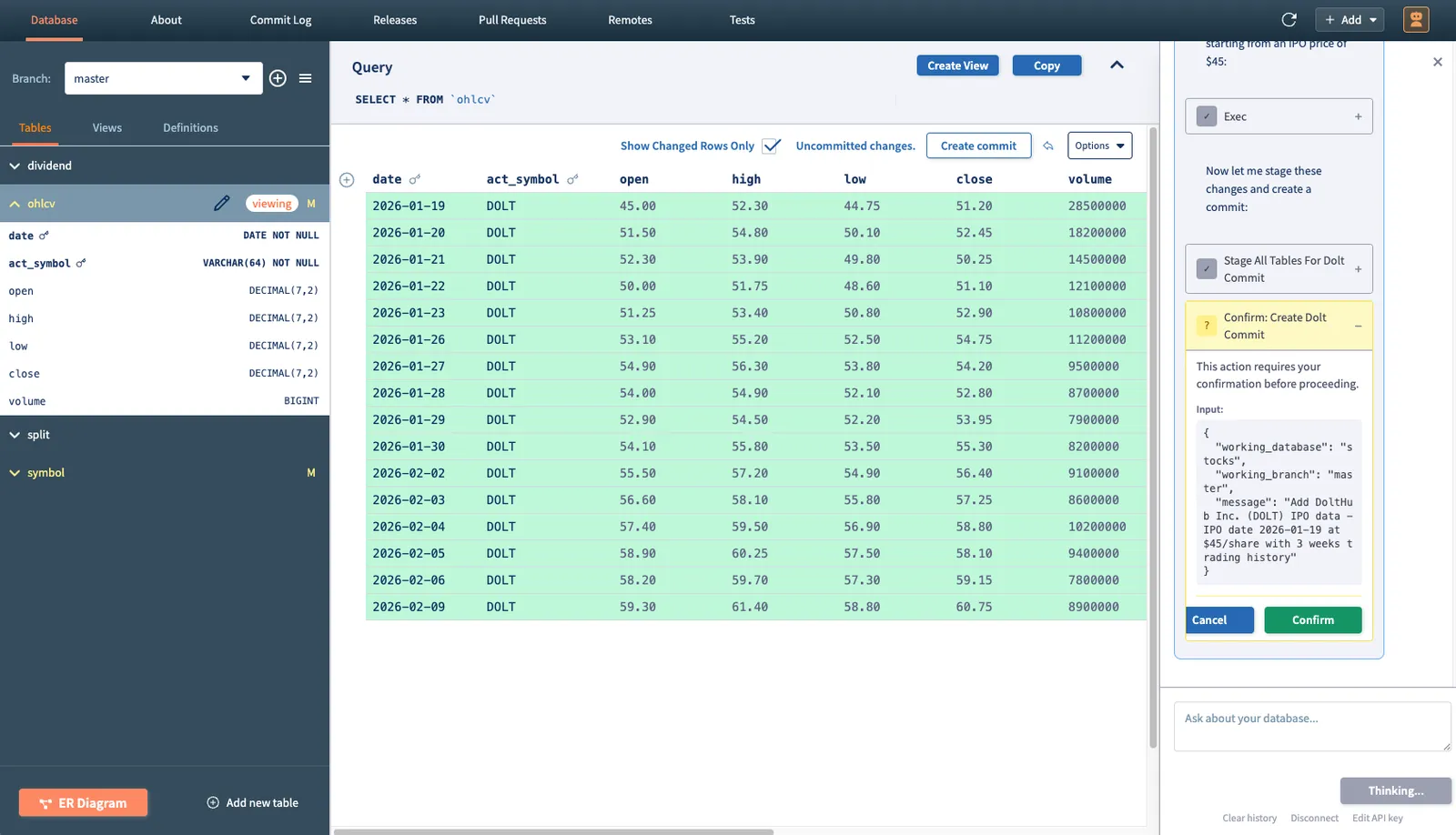
We’ve also had a lot of success using it for data analysis tasks like finding Medicaid fraud and uncovering suspicious behavior surrounding Chicago’s ambulance system. If you’re interested in trying it out, the workbench is available for download here or on the Mac and Windows app stores.
Over the last month, we’ve been hard at work improving the agent mode experience. This article will discuss some of the new features and enhancements we’ve made since launch.
Interrupts#
Originally, there was no way to interrupt the agent while it was working. This was problematic because you could reach scenarios where the agent attempts to run a massively complicated SQL query that might take hours to complete, or tries to perform a huge web search and gets stuck. At this point, the only way out was to restart your session and try again. We quickly realized that the ability to interrupt the agent mid-response was necessary.
Now, there are two ways you can interrupt. The easiest is to simply send another message. If the agent hangs on some long-running task and you want it to try another approach, just tell the agent to do so and it will stop whatever it was doing previously and address your new message.
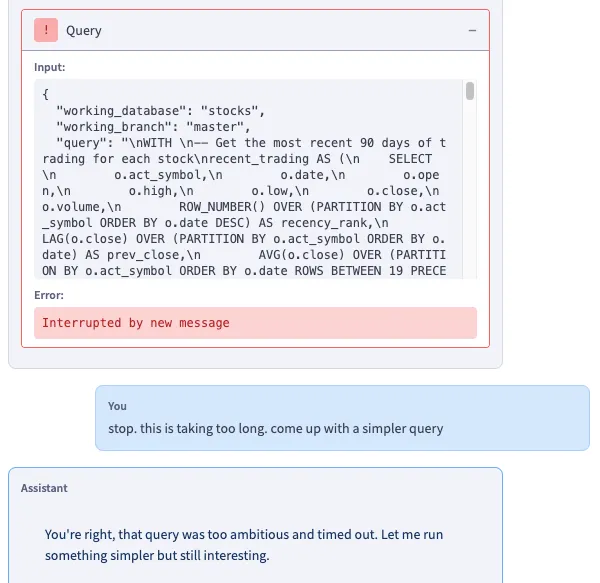
The second way gives you more granular control over what exactly should be interrupted. When the agent makes a tool call that takes longer than two seconds, a cancel button will appear on the tool call block.

This allows you to cancel individual tool calls without killing the entire response. If you cancel a tool call, the agent will be informed that the user terminated that specific tool call and then continue its response without it.
Model Selection#
We received a request from a user to add model selection to agent mode. At first, only Opus 4.6 was exposed from the workbench, but most of the time you probably don’t need that much firepower. For simple tasks, a “worse” model like Sonnet or Haiku will provide equivalent results for cheaper. To address this, we added a model selection widget at the top of the agent panel.
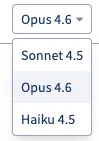
The selected model is not session-bound, so you can freely switch them out between queries under the same session. Since we’re using the Claude Agent SDK, only Anthropic models are available at the moment.
Session History#
The last big feature we added was session history persistence. The workbench now keeps track of conversation history and tool calls across all your sessions. You can use the session selection tool to switch between them.
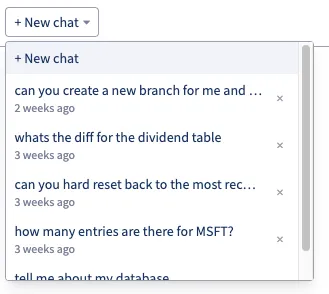
When you switch sessions, the appropriate context will be loaded in and you can continue your previous session as normal. These are stored on disk so you won’t lose them between app restarts.
Conclusion#
We’re really excited about agent mode and are eager to keep improving it. If you have any feature requests, file an issue here or come by our Discord and let us know.