
Dolt is the first SQL database to support Git-style version control semantics. This includes rebase! Rebase is one of those features of Git that many people don’t understand, and it certainly can be difficult for people to use. But what about agents? Agents have a surprisingly good understanding of Git and rebase because there are a lot of tutorials and explanations online.
I’d argue that rebase is one of the most powerful features of Git and Dolt. Especially for agents. It allows you to take a series of commits and “replay” them on top of another branch. This is incredibly useful for keeping a feature branch up to date with the latest changes from the main branch or for cleaning up a messy commit history before merging. In a world where we are swimming in human review of changes generated by agents, being able to have a crisp linear set of changes to review is incredibly valuable.
Let’s dig in!
The Elephant in the Room#
Rebase has a bit of a reputation for being difficult to understand and use. There has been no shortage of rage on the internet about it. I don’t need to Google that for you. You already know.
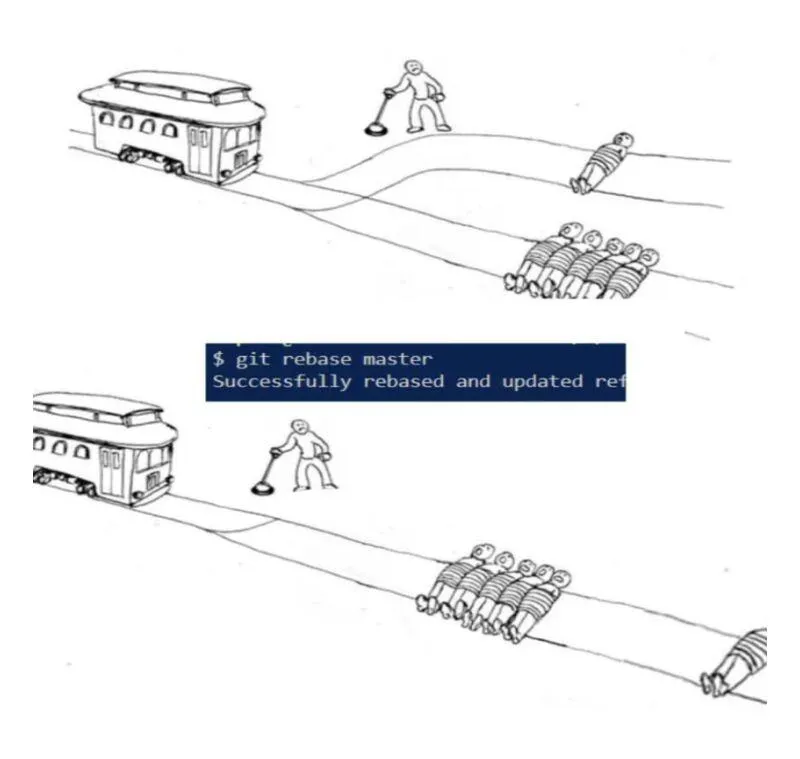
I’m the first to confess that the Git command line interface for rebase is not the most user-friendly. There are a lot of options and flags, and it can be difficult to understand what is going on under the hood. However, I believe that the power of rebase outweighs the complexity. Once you understand the basics of how rebase works, it becomes a powerful tool in your version control arsenal. You, and I’m speaking to the human reader here, have your habits; I’m not going to change them. Dolt’s development team debates about rebase vs. merge and we all have our preferences. Clearly Zach is wrong.
But what about your agents? They don’t have rage, and they don’t meme. They just want to get their work done. I believe rebase can help them do their work more effectively and with less friction.
Anatomy of a Rebase#
Both Git and Dolt can be thought of as a series of snapshots in time. Each state of the source repository, or Dolt database, is effectively a delta from the previous state, and each snapshot is called a commit. Starting with database A, a delta is applied to create database B, and then another delta is applied to create database C, and so on.
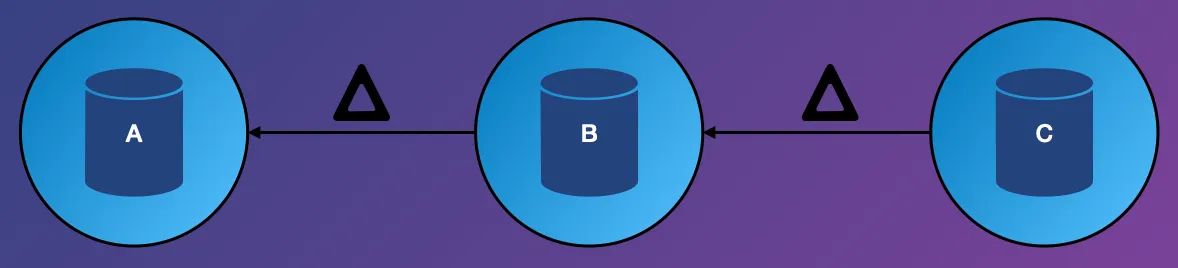
When you perform a rebase, you are taking a series of deltas and applying them on top of another branch. This is done by calculating the difference between each commit and its parent, and then applying that difference to the new base branch.
In the default mode, you simply rebase onto main, like so:
$ dolt rebase mainDolt (and Git for that matter) will take each commit in your current branch, one at a time, and cherry-pick it onto the main branch. The cherry-pick is simply taking the delta of a single change and applying it to your current state. A rebase does that repeatedly. When your series of changes is complete, your branch will be a series of commits on top of the latest main branch.
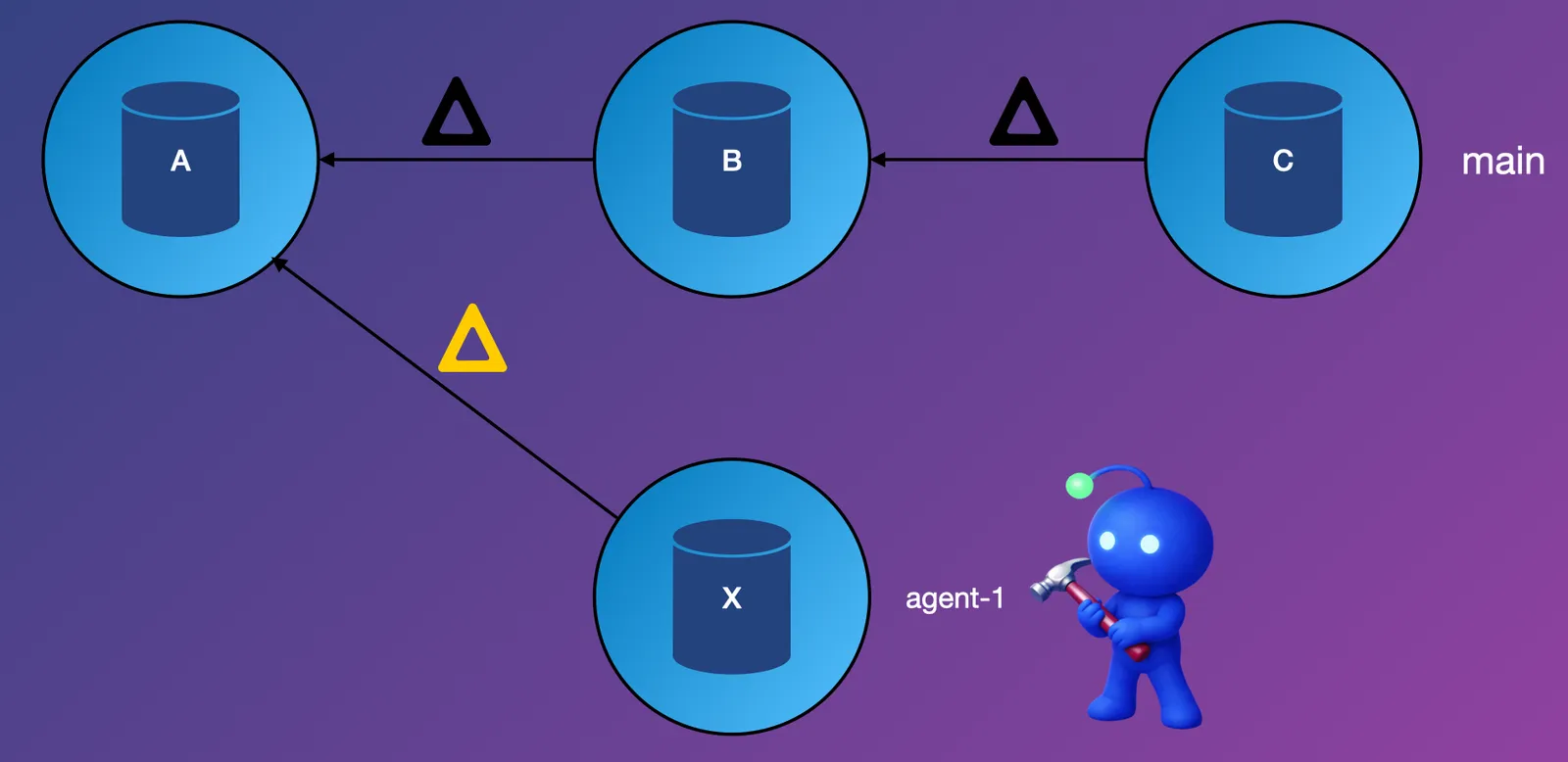
In picture form, it looks like this. An agent has created a new version of the database on its own branch, agent-1. It has a single new commit, and the yellow delta is the change made to the database. agent-1 is behind the current main branch by two commits:
When the agent rebases onto main, it’s taking that yellow delta and applying it on top of the latest main branch. It ends up with a new version of the database, X*:
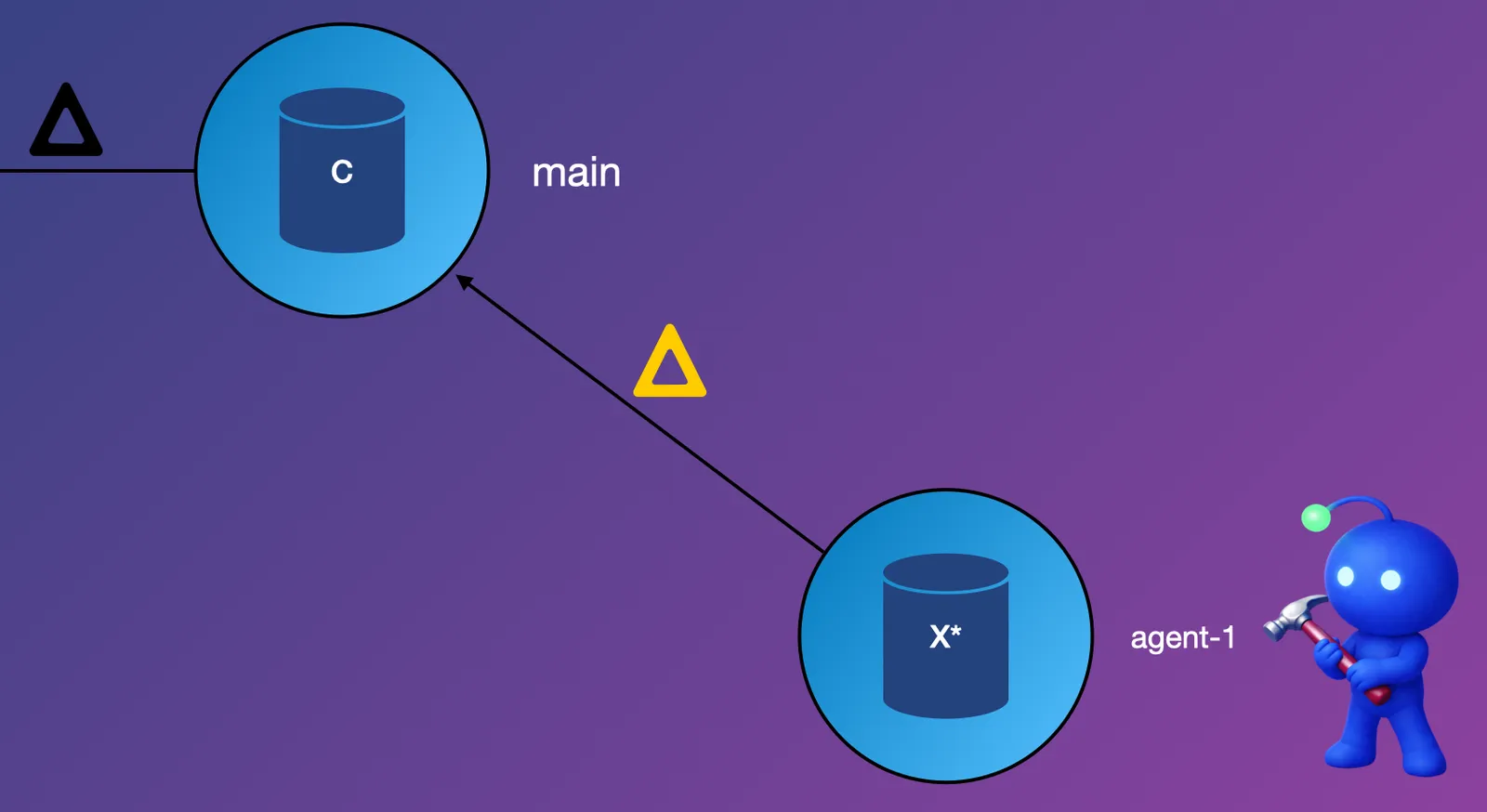
And that’s it! When you have multiple commits, the process is the same, but each commit is applied in order. Rebase isn’t magic. It’s simply a delta application tool.
By regularly rebasing, your agent is always working with the latest information possible.
Conflicts#
Conflicts are the critical piece of the rebase mechanism, and it’s important how agents interact with them.
Each agent, and there may be thousands, is trying to get its work done by altering the state of the database in accordance with its goals. When a conflict occurs, it’s a signal to the agent that some alteration it made needs to be reevaluated in light of the new information. Agents are generally pretty good at handling conflicts, because they can reason about the changes that have occurred and adjust their plans accordingly.
When a conflict occurs during a rebase, Dolt will pause the rebase process and allow the agent to resolve the conflict. The agent can then make any necessary changes to the database to resolve the conflict and continue.
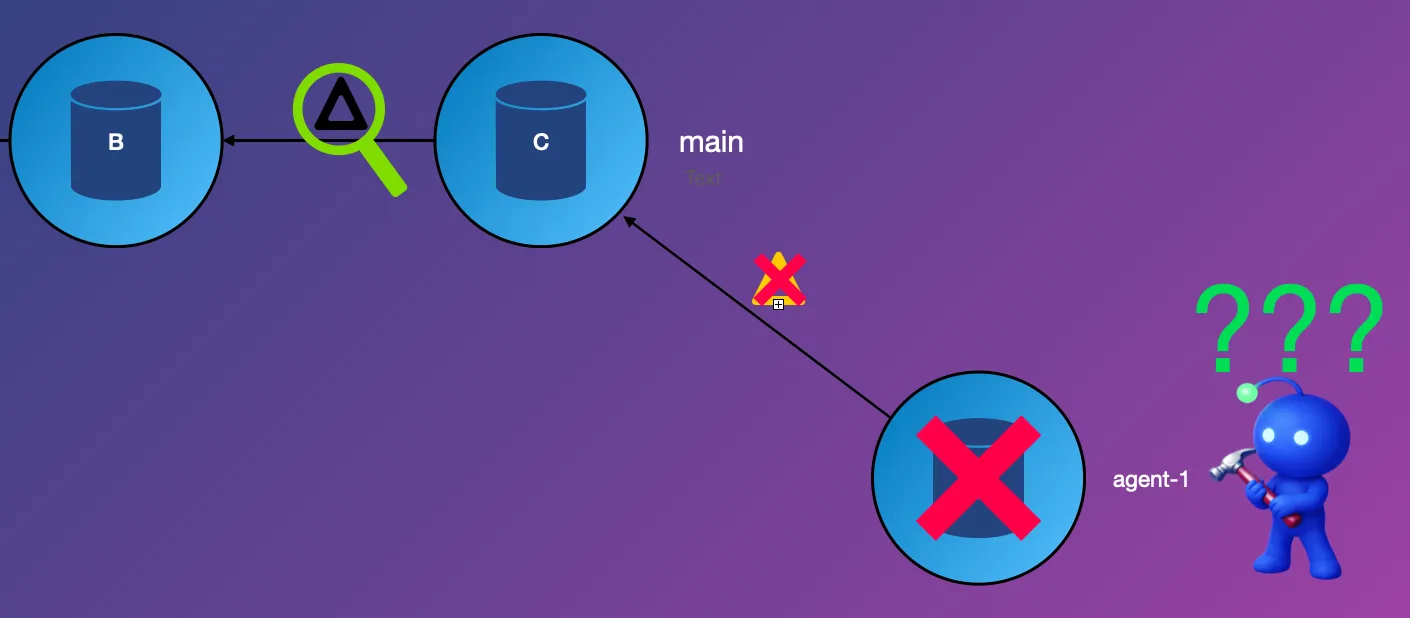
The important takeaway here is that conflicts are not failures. They are opportunities for agents to learn and adapt to the changing state of the database. In fact, conflicts can lead to better outcomes, as agents are forced to reconsider their plans and make more informed decisions. Resolving the conflict is part of the process, and if an agent cannot resolve the conflict, it probably means it needs to go back to the drawing board or give up on life.
I’ll hammer that one in: If your agent can’t resolve a conflict, it’s not worth the tokens you are spending on it.
Nerd Fact!#
One of Dolt’s superpowers is its ability to inspect the state of the database at any commit and quickly show you the delta between two states of the database. This means that when a conflict occurs, the agent can look at the state of the database before and after the conflicting change and use that information to inform its resolution strategy.
Dolt and Git have this fast diff superpower for the same reason: Merkle trees. Topic for another day!
Advanced Rebase Options#
Rebase has a number of additional options that become available with the --interactive flag. For example, you can use rebase to reorder commits, squash multiple commits into one, or even edit the contents of a commit. Agents may or may not need to make use of these advanced features. It really depends on the application and its expectations.
A perfectly reasonable approach: one agent, one commit. The agent in this scenario would always --amend to its single commit when making changes and rebase main whenever it is behind. It’s certainly the simplest mental model for an agent or a human to understand.
It’s So Easy!#
Rebasing onto main is pretty straightforward. Using the CLI:
$ dolt rebase mainThis will take the current branch and rebase it onto the specified target branch. If there are any conflicts, Dolt will pause the rebase process and allow you to resolve them. Once the conflicts are resolved, you can continue the rebase process with:
$ dolt rebase --continueUsing the SQL interface is best done to allow conflicts, like so:
SET @@dolt_allow_commit_conflicts = 1;
CALL DOLT_REBASE('main');
Careful readers may notice you don’t need the --interactive flag here. That’s new in version 1.81.2!
Check out our previous post on rebase for more in-depth usage: Dolt Rebase in Action
Conclusion#
Rebase is a powerful tool in both Git and Dolt, and it gets a bad rap for being difficult to understand. But at its core, rebase is simply a way to apply a series of changes on top of another branch. For agents working in Dolt databases, rebase is an essential tool for keeping their work up to date and resolving conflicts in a dynamic environment. Honestly, your source agents should be rebasing all the time too. It’s so much easier to review.
What are your thoughts on rebase? Do you use it in your workflows? Let us know on our Discord!